How to Choose the Right Smart Home Ecosystem 2026
Lead Consumer Product Specialist & Family Gear Director at US Family Mart Consumer Testing Lab · Certified Consumer Products Quality Specialist (CPQS), ASTM F15 Consumer Standards Member · 12+ years evaluating household appliances, smart home hardware, child safety equipment, and consumer lifestyle products.
Choosing a smart home ecosystem feels like picking a mobile carrier in 2008. You commit, you buy gear, and then you discover half your stuff won't talk to the other half. The real question isn't which brand is "best." It's which one fits your phone, your home, and your patience level.
The good news is that the picture has gotten clearer. Per the Connectivity Standards Alliance (CSA), the Matter standard now covers thousands of certified devices, and as of 2026 it's genuinely changing what "works with everything" means. That doesn't erase the differences between Amazon, Google, Apple, and the open-source crowd.
It just means the decision is easier to get right the first time. Here's how to actually make it.
how to choose a smart home ecosystem
Pick your ecosystem by matching it to the phones in your house first. Then factor in privacy needs and budget. If you're all-in on iPhone, Apple Home fits best.
For mixed or Android households, Alexa or Google Home gives the widest device support. If you want local control and don't mind tinkering, Home Assistant or Hubitat wins. Check for Matter support before buying any device.
Start With Your Situation, Not the Brand
Most people start with the wrong question. They ask "which ecosystem is best?" when they should ask "what does my actual life look like?" A renter on a tight budget has a totally different answer than a homeowner with a rack of networking gear.
So let's flip the order. Before you look at a single product page, get clear on five things.
The Five Questions That Decide Everything
Walk through these honestly. Your answers will point you toward one or two ecosystems almost automatically.
- Which phone do you carry? If everyone in the house has an iPhone, Apple Home runs circles around the alternatives. Mixed household? Go Alexa or Google.
- Do you rent or own? Renters should lean on plug-in devices: smart plugs, bulbs, cameras, speakers. Homeowners can hardwire switches, thermostats, and locks.
- How much do you care about privacy? If you dislike the idea of an always-listening microphone uploading audio, local-first setups (Home Assistant, Hubitat, Apple Home) are your lane.
- Do you want to tinker or just want it to work? Tinkerers build automations in Node-RED. Everyone else wants an app and a voice command.
- What's your realistic budget? A starter kit runs $100 to $300. A full retrofit of a three-bedroom home can hit $2,000 or more once you add locks, cameras, and a hub.
Answer those, and you've eliminated most of the market. The rest is picking the specifics.
The Four Real Ecosystems and Who Each One Is Built For
Four platforms dominate the mainstream conversation in the US and UK. Each one has a personality. Each one attracts a different kind of user.
Let's break them down properly, not as marketing blurbs but as what they actually do well and where they trip you up.
Amazon Alexa: The Widest Net
Alexa has the most third-party devices on the shelf. Per Amazon's developer documentation, tens of thousands of devices carry the "Works with Alexa" badge, and that number keeps growing.
If you want the largest device catalog on the planet, Alexa is hard to beat. The Echo line ranges from the $50 Echo Dot to the $220 Echo Show 10. Voice recognition is solid for English speakers, and Routines have gotten deeper over the years.
Best for: Android users, mixed households, renters who want cheap plug-and-play gear, and anyone who values selection over polish.
Watch out for: Amazon's data practices. Audio is processed in the cloud by default, though you can review and delete recordings.
Google Home: The Smartest Assistant
Google Assistant is the sharpest conversational AI of the bunch. Ask it follow-up questions and it usually keeps up, which is more than you can say for the others on a bad day.
The Nest Hub and Nest Mini anchor the hardware side. Integration with Google Photos, YouTube, and Calendar is flawless if you already live in Google's world. The Home app has improved dramatically since 2022 and now handles Matter devices cleanly.
Best for: Android households, people who lean heavily on Google services, and anyone who wants an assistant that can hold a conversation.
Watch out for: Google has killed products before (remember the Nest Secure alarm system?). Their long-term commitment to any hardware line is fair game to question.
Apple Home: The Privacy Play
Apple Home is the smallest ecosystem and the strictest one. Every device that works with it has to pass Apple's certification, which is why the catalog is smaller but less prone to cheap junk.
Per Apple's published privacy documentation, HomeKit video is processed locally on a home hub (Apple TV, HomePod, or iPad) before anything touches the cloud. That's a genuine difference.
The trade-off is price and compatibility. You pay a premium for the badge, and some cheap Wi-Fi gadgets simply won't work.
Best for: iPhone households, privacy-focused users, and anyone who'd rather spend more and worry less.
Watch out for: If even one person in the house has an Android phone, they're locked out of most of the automations.
Samsung SmartThings and Home Assistant: The Open Lane
These two don't get the marketing love, but they're the power user's answer.
SmartThings has shifted from a hardware hub company to a software-first platform. It supports Zigbee, Z-Wave, Thread, and Matter, which makes it one of the most compatible hubs on the market.
Home Assistant is the open-source option. It runs on a Raspberry Pi, a mini-PC, or a virtual machine, and it talks to virtually everything. The catch: you're building this yourself, and the learning curve is real.
Best for: Tinkerers, privacy absolutists, and anyone who's been burned by cloud outages.
Watch out for: Community support for Home Assistant is excellent, but there's no phone number to call when something breaks.
The Five Questions That Decide Everything
We covered these briefly earlier. Now let's go deeper, because each one deserves a proper answer.
Question 1: Which Phone Does Everyone in the House Use?
This is the single biggest fork in the road. Cross-platform households live in a permanent state of compromise with Apple, because Siri doesn't play nice outside Apple hardware.
If you're 100% Apple, HomeKit is the cleanest experience by a wide margin. If you're 100% Android, Google Home or Alexa work beautifully. If you're mixed, Alexa and Google both handle it gracefully.
Apple doesn't.
Question 2: Rent or Own?
Renters can't swap out light switches or install a smart thermostat without permission. That rules out the most satisfying automations but not the ecosystem itself. Smart plugs, bulbs, cameras, and speakers travel with you when you move.
Homeowners get the full menu: hardwired switches, smart locks, doorbell cameras, and HVAC controls. If you're in this camp, you can plan a five-year setup instead of a two-year one.
Question 3: How Much Does Privacy Matter?
Be honest with yourself. Some people could not care less if Amazon knows when they turn off the kitchen lights. Others find that genuinely creepy.
- High concern: Apple Home with local processing, or Home Assistant running entirely on your own hardware
- Medium concern: Google or Amazon with mic toggles and manual data deletion
- Low concern: Any of the above, whichever has the best price and features
Per NIST's IoT cybersecurity guidance, local processing eliminates an entire class of risk. It's not paranoia, it's just fewer things that can go wrong.
Question 4: Tinkerer or Just-Works Buyer?
If you enjoy weekend projects and you've ever flashed custom firmware on a router, Home Assistant is calling your name. You'll get automations nobody else can build and total independence from any brand's cloud.
If you'd rather it just work, stick to Alexa, Google, or Apple. Their apps have gotten better, and Matter has made pairing less painful than it used to be.
Question 5: What's Your Real Budget?
You can start a smart home for under $100. A single smart plug and a cheap Echo Dot cover the basics. But once you add cameras, locks, a thermostat, and a hub, costs climb fast.
Budget planning matters because switching ecosystems later is expensive. Buy once, buy right, and skip the regret.
Branch 1: You're a Renter, So Plug-In or Nothing
If you rent, your ecosystem options narrow. That's not a bad thing. It just means you focus on devices that pack up cleanly when you move.
The rule is simple. If it requires a screwdriver and a landlord's permission, skip it.
What Works for Renters
- Smart plugs for instant control over lamps, fans, and anything you plug in
- Smart bulbs from brands like Philips Hue and Wyze that fit any fixture
- Smart speakers and displays from Echo, Nest Hub, and HomePod lines
- Indoor cameras placed on a shelf, ready to move when you do
- Smart plugs with energy monitoring to track what's costing you the most
What to Avoid
- Hardwired smart switches (electrical work, landlord sign-off)
- Smart thermostats (many apartments have shared HVAC)
- Smart door locks (permanent modification, usually against lease terms)
- Anything screwed into a wall or ceiling
For renters, Alexa and Google Home win because their device ecosystems are full of plug-in gear. Apple Home works too if you're all-in on iPhone. Home Assistant is possible but overkill for a rental.
If you want a deeper look at what works in small spaces, our guide to apartment-friendly gadgets covers the practical picks.
Branch 2: You're an iPhone Household, So Apple or Something Else?
If every phone in your house is an iPhone, Apple Home is the smoothest path. Siri, HomePod, Apple Watch, and Apple TV all speak the same language. Automations fire without a hiccup, and HomeKit Secure Video handles privacy locally.
But "smooth" doesn't mean "right for everyone." Apple's smaller catalog and higher prices push some iPhone users toward Amazon or Google anyway. It comes down to what you value more: polish or selection.
When Apple Home Wins
- Everyone in the house has an iPhone, iPad, or Apple Watch
- Privacy matters more than price
- You already own an Apple TV or HomePod (both work as home hubs)
- You want the simplest possible app experience
When to Look Outside Apple
- Someone in the house uses Android full-time
- You want a specific device that lacks HomeKit support
- Price is a hard constraint, since Apple accessories run 2x to 3x the cost of Alexa equivalents
The Homebridge Workaround
Homebridge is a community project that fakes HomeKit compatibility for non-certified devices. It runs on a Raspberry Pi or always-on computer. It works, but it's unofficial and fiddly.
If you're considering Homebridge just to save on devices, pick a different ecosystem instead.
Branch 3: You Want Local Control, So Where Do Cloud Ecosystems Fail?
Cloud dependency is the quiet cost of cheap smart home gear. When Amazon's servers hiccup, your voice commands stop working. When Google discontinues a product line, your device becomes a paperweight.
If that bothers you, there are two real paths.
Home Assistant: Maximum Control
Home Assistant runs on your own hardware. Automations, voice control (with add-ons), device state, everything stays on your network. You answer to nobody.
The catch is time. A basic setup takes a weekend. Advanced automations take months to master.
But once it's running, it's remarkably stable.
Hubitat: Local Control Without the DIY Headache
Hubitat is the middle path. It's a physical hub that processes automations locally, supports Zigbee and Z-Wave, and works with Matter devices.
Less flexible than Home Assistant, far less work. If you want local processing without becoming a sysadmin, this is your lane.
When Local Control Isn't Worth It
If you have under ten devices and don't mind occasional cloud outages, the extra effort isn't worth it. Alexa and Google are cheaper and easier. Local-first only pays off once you have enough devices to notice the difference.
Branch 4: You're a Tinkerer, So Hubitat, Home Assistant, or the DIY Path
Some people enjoy the build. If you've ever spent a Saturday optimizing your home network, this branch is for you.
The Tinkerer Stack
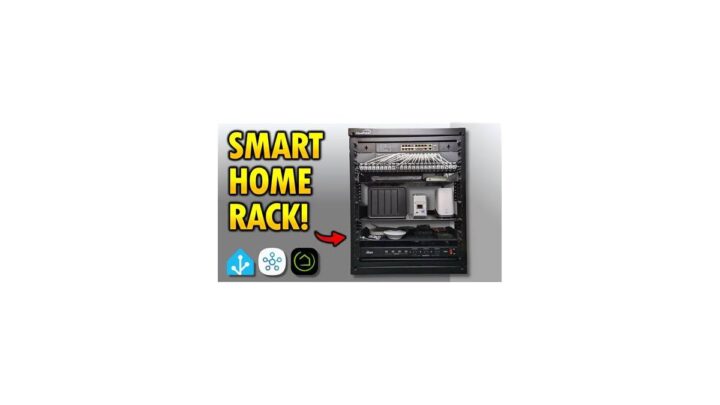
- Hub: Home Assistant on a Raspberry Pi 5, Intel NUC, or mini-PC
- Radios: Zigbee coordinator, Z-Wave stick, Thread border router (built into newer hubs)
- Protocol: MQTT for advanced device integration
- Automation: Node-RED or Home Assistant's YAML automations
- Voice: Local wake word options like Rhasspy or Wyoming
What You Get
Total control. No subscription. No cloud.
No brand telling you what your devices can and can't do.
What You Give Up
Convenience. There's no support line. When something breaks, you troubleshoot it yourself.
Community forums are excellent, but you need to want to learn.
If that trade sounds reasonable, this is the most rewarding path in smart home tech. If it sounds exhausting, don't kid yourself. Go with Alexa or Google.
Branch 5: You Just Want It to Work, So Here's the Mainstream Pick
Some people want a smart home, not a hobby. That's fine. That's most people.
And the mainstream path works well if you set it up right.
The Simple Recipe
- Pick Alexa or Google based on which voice assistant you prefer
- Buy a starter kit with a speaker and two smart plugs
- Add devices slowly, one at a time, and only if you'll actually use them
- Verify Matter support before buying any new device going forward
That's it. No hub needed for most devices. No local network.
No weekend projects.
The One Trap to Avoid
Cheap no-name Wi-Fi gear. It's tempting, but the apps are weak, the firmware is stale, and the privacy practices are often unverifiable. Stick to brands that carry a Matter certification or a "Works with" badge from your chosen ecosystem.
If you want a second opinion on what's actually reliable in this category, our device roundups for everyday homes are a decent sanity check before you click buy.
Matter and Thread: What They Actually Fix and What They Don't
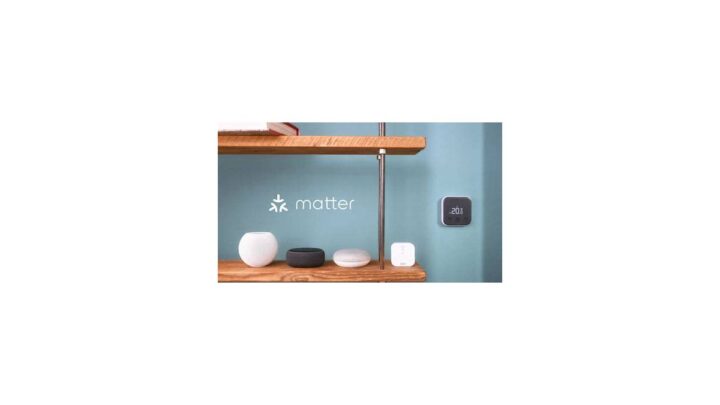
Matter is the cross-brand standard that promises to end ecosystem lock-in. It's developed by the Connectivity Standards Alliance (CSA), which counts over 700 member companies including Amazon, Apple, Google, and Samsung.
Thread is the networking layer Matter rides on. It's a low-power mesh that lets battery-powered sensors talk to your home network without dying in a week. A Thread border router bridges your Thread devices to your Wi-Fi.
Now the honest part. Matter fixes compatibility between ecosystems. That's it.
What Matter Genuinely Solves
- Cross-ecosystem pairing. A Matter bulb bought for Alexa can move to Apple Home later
- Multi-admin control. One device, two ecosystems, both controlling it
- Simplified setup. One QR code instead of a dozen app installs
- Local control by default. Most Matter traffic stays on your network
What Matter Doesn't Solve
- Feature parity. A Matter device might expose more features in one ecosystem than another
- Older gear. Pre-Matter Zigbee and Z-Wave devices still need their original hub
- Manufacturer apps. You'll still install app after app for firmware and advanced settings
- Reliability at the edges. Cheap Matter devices are still cheap. The badge guarantees compatibility, not quality
Version Watch
The Matter spec started at 1.0 in 2022. By 2026, versions 1.3 and 1.4 have added device types (appliances, energy management, robotic vacuums) and better multi-admin flows. Check the firmware version before you buy.
Devices on Matter 1.0 can't retroactively gain features from 1.4.
The Hub Question: When You Need One and When You Don't
Hubs are the most misunderstood piece of smart home gear. People assume they need one. Often they don't.
Here's the simple rule. You need a hub if at least one of your devices can't talk directly to Wi-Fi or Bluetooth.
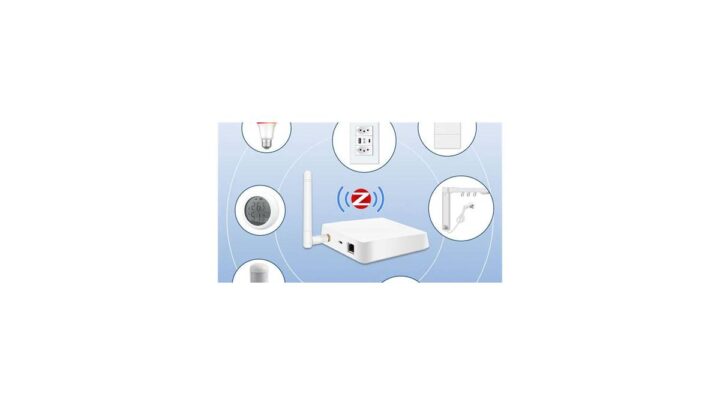
Zigbee and Z-Wave devices always need a hub (or a USB radio plugged into a Home Assistant box). Thread devices need a Thread border router, which is often built into a smart speaker or display. Wi-Fi devices usually don't.
When You Need a Hub
| Situation | Hub Type | Why |
|---|---|---|
| You own Zigbee or Z-Wave devices | Zigbee/Z-Wave hub (SmartThings, Hubitat) | Those protocols require a coordinator radio |
| You want automations that run without internet | Local hub (Hubitat, Home Assistant) | Cloud hubs fail when the internet drops |
| You have dozens of Wi-Fi devices | Zigbee/Z-Wave hub to offload | Wi-Fi routers choke past roughly 50 devices |
| You're using battery-powered smart sensors | Zigbee or Thread hub | Wi-Fi drains batteries in weeks |
When You Don't Need a Hub
- All your devices are Wi-Fi or Bluetooth and you're under 30 total devices
- You only use Alexa, Google, or Apple and rely on cloud processing
- You have a smart speaker with a built-in Thread border router (Echo Hub, Apple HomePod Mini, Nest Hub 2nd gen)
Common Hub Mistakes
- Buying a hub before you need one. Start with devices, add a hub when a specific device demands it.
- Stacking multiple hubs. A SmartThings hub plus a Philips Hue Bridge plus a Home Assistant box is a management nightmare. Consolidate where you can.
- Assuming a hub means local control. Some hubs still route automations through the cloud. Read the spec sheet before you buy.
Wi-Fi, Zigbee, Z-Wave, and Thread: Picking Your Device Layer
The radio underneath your devices matters more than most buyers realize. It affects range, battery life, reliability, and how many devices you can run before your network chokes.
Here's how the four main options compare.
| Protocol | Range | Battery Life | Needs Hub? | Best For |
|---|---|---|---|---|
| Wi-Fi | High (up to ~50m indoors) | Poor (days to weeks) | No | Plugged-in devices, cameras, speakers |
| Zigbee | Medium (~10 to 20m mesh) | Good (months to years) | Yes | Bulbs, sensors, remotes |
| Z-Wave | Medium (~30m mesh) | Good (months to years) | Yes | Locks, alarms, legacy gear |
| Thread | Medium (~10 to 30m mesh) | Excellent (years) | Border router | Battery sensors, Matter devices |
How to Choose a Protocol
- Cameras, speakers, wall-powered gear: Wi-Fi is fine. You don't care about battery life.
- Sensors and battery-powered devices: Zigbee or Thread. Wi-Fi will drain them.
- Anything you want Matter-compatible going forward: Thread, or Matter over Wi-Fi as a backup.
- Existing Zigbee or Z-Wave gear: You're locked into those protocols. Upgrade plans should account for that.
A Note on Zigbee and Z-Wave Longevity
Neither protocol is going anywhere. Z-Wave Alliance members still ship thousands of certified products. Zigbee is the backbone of Philips Hue.
The real shift is Matter adoption, happening alongside those protocols, not instead of them.
If you're buying for a ten-year home, choose Matter and Thread. If you're buying for the next two years and already own Zigbee gear, ride it out.
What It All Costs: Real Numbers Before You Buy Anything
Smart home pricing spans a huge range. You can get genuinely useful gear for under $100 or spend $5,000 on a professionally installed system. Most people land somewhere in the middle.
Here's what the major cost buckets look like in 2026 dollars.
| Category | Entry Level | Mid Range | Premium |
|---|---|---|---|
| Smart speaker | $30 (Echo Dot) | $99 (Echo Show 8) | $299 (HomePod 2nd gen) |
| Smart bulb, each | $10 (Wyze) | $30 (Hue White) | $60 (Hue Color) |
| Smart plug, each | $8 | $15 | $25 (energy monitoring) |
| Smart lock | $80 (August) | $180 (Yale) | $300 (Level Lock+) |
| Smart thermostat | $80 | $170 (Nest) | $280 (ecobee Premium) |
| Indoor camera | $30 | $75 | $180 (local storage) |
| Smart hub | $60 (SmartThings) | $100 (Hubitat) | $200+ (Home Assistant mini-PC) |
| Thread border router | $50 (Echo 4th gen) | $99 (HomePod Mini) | $150+ (dedicated) |
The Real Starting Costs
- Bare minimum starter kit: $80 for an Echo Dot, a smart plug, and a bulb
- Comfortable starter kit: $300 for a speaker, three plugs, three bulbs, and a camera
- Whole-home starter: $1,200 adds a lock, thermostat, and doorbell
- Full retrofit: $3,000 to $8,000 for hardwired switches, multiple cameras, and professional install
Subscription Costs to Budget For
Cloud storage for cameras runs $3 to $10 per month per brand. Premium features like advanced routines and AI detection are increasingly behind paywalls. Apple Home is the only major ecosystem with zero mandatory subscriptions for its core features.
Where Costs Spiral
- Buying devices you never use. That smart toothbrush seemed like a good idea. It wasn't.
- Switching ecosystems. Once you're $1,000 deep in Alexa gear, moving to Apple costs another $1,000.
- Chasing the newest thing. Matter 1.4 devices will be replaced by newer spec devices. Buy for what you need now.
Mistakes That Lock You In and How to Avoid Them
Vendor lock-in is the smart home's original sin. Buy the wrong gear and you're stuck with an ecosystem that stops supporting it, or a hub that gets abandoned. Here's how to sidestep the worst traps.
Mistake 1: Buying Before Checking the Protocol
If you're committing to Alexa, buy devices that work with Alexa. Aggregate user reviews show the biggest frustration in smart homes is discovering a device doesn't integrate with the ecosystem you already own.
Fix: Check the box for a "Works with" badge before you pay. The Matter badge is the safest bet.
Mistake 2: Assuming the Hub Never Dies
Smart home hubs do get discontinued. Samsung's original SmartThings Hub v1 is a paperweight now. Google killed the Nest Secure alarm.
Wink went subscription-only.
Fix: Prefer devices that also work without the hub. Matter devices paired with multiple ecosystems survive hub shutdowns better.
Mistake 3: Ignoring Wi-Fi Congestion
A typical household router handles roughly 30 to 50 devices before it starts dropping connections. Add 60 Wi-Fi bulbs and your network can misbehave.
Fix: Use Zigbee, Z-Wave, or Thread for anything that doesn't need Wi-Fi directly. Reserve Wi-Fi for cameras, speakers, and streaming gear.
Mistake 4: Overcomplicating the Setup
Multi-condition automations with dozens of triggers look great in demos. In real life, they break constantly and confuse everyone in the house.
Fix: Start with if/then logic. "If motion in hall, then turn on hall light." Add complexity only when the simple version is rock solid. If you want a broader look at what actually works inside a home setting, our smart home picks for small spaces are a good place to sanity-check your plans.
Mistake 5: Forgetting the Family
A smart home that only works for one person isn't smart. If your partner can't figure out the app, the automations, and the voice commands, the whole thing becomes a source of friction.
Fix: Use voice as the primary interface. Everyone can talk to Alexa, Google, or Siri without opening an app.
What Breaks When the Internet Goes Down
Cloud dependency is invisible until your broadband drops. Then you find out which devices keep working and which turn into expensive plastic.
Per NIST's guidance on IoT resilience, the safest smart home designs assume the network will fail at some point. Yours should too.
What Still Works Offline
| Device Type | Works Without Internet | Notes |
|---|---|---|
| Zigbee bulbs with local hub | Yes | If automation runs on the hub |
| Z-Wave locks with local hub | Yes | Manual keypad always works too |
| Matter devices with local controller | Yes | Local control is a Matter default |
| Apple Home with HomePod or Apple TV hub | Mostly | Siri and automations often survive |
| Alexa cloud routines | No | Everything routes through Amazon |
| Google Home cloud routines | No | Same story as Alexa |
| Wi-Fi cameras | No | Cloud upload stops, local recording may continue |
The Renter's Reality Check
Renters typically have zero control over broadband. If your ISP goes down for four hours, your Wi-Fi-only bulbs and plugs go dark. That's one more reason Zigbee and Matter over Thread setups are worth the extra $60 for a local hub.
What to Test Before You Commit
Unplug your router for an hour. See what still responds. If your lights, locks, and thermostat all go dead, you've built a cloud-only home.
That's fine if you're okay with it. It's a problem if outages leave you locked out or freezing.
Privacy, Security, and the Fine Print Worth Reading
Every smart home device is a small computer with a microphone, camera, or sensor. That's a lot of information flowing through your house, and the ecosystem you pick decides who sees it.
Per the FTC's guidance on connected devices, consumers should assume any data collected could be used for advertising, product improvement, or shared with partners. The question is how much control you have over that flow.
Data Practices by Ecosystem
| Ecosystem | Cloud Processing | Data Retention | Local Options |
|---|---|---|---|
| Amazon Alexa | Default | Retained until manually deleted | Limited |
| Google Home | Default | Retained, auto-delete available | Limited |
| Apple Home | Local for HomeKit video, cloud for Siri | Encrypted, limited retention | Strong |
| SmartThings | Cloud for automations | Retained | Partial (local routines on newer hubs) |
| Home Assistant | Fully local | Whatever you configure | Complete |
The Security Basics Nobody Bothers With
- Change default passwords. The Mirai botnet took down half the internet because people didn't.
- Enable two-factor authentication on every ecosystem account.
- Separate your IoT network. A guest Wi-Fi network for smart devices keeps them off your main LAN.
- Update firmware. Most device breaches exploit bugs patched years ago.
- Disable features you don't use. A mic you never activate can't leak.
Regulatory Ground You Should Know
- GDPR (EU/UK) gives you the right to request and delete your data. Most major ecosystems have portals for this.
- CCPA (California) offers similar rights, including the ability to opt out of data sales.
- COPPA restricts data collection on devices used by children, which matters if you have smart speakers in kids' rooms.
- FCC certifies wireless transmitters for US sale. A device without FCC marking is technically not legal to sell.
- UKCA and CE markings do the same job in the UK and EU.
Cameras and Consent
Camera and microphone laws vary by state. In the US, some states require all-party consent before recording. In the UK, ICO guidance says you should notify visitors when a smart doorbell camera is active.
In shared housing, roommates have a reasonable expectation of privacy in common areas.
Check your local rules before you install cameras in hallways or shared spaces.
Frequently Asked Questions
Do I really need a smart home hub?
Only if you own Zigbee, Z-Wave, or battery-powered Thread devices that need a coordinator. Wi-Fi and Bluetooth devices don't need a hub. Many newer smart speakers include Thread border routers, covering most Matter setups without a separate box.
Is Matter worth waiting for before I buy?
No. Matter is here now and shipping in thousands of certified devices as of 2026. Waiting means missing out on useful gear today.
Just verify the Matter badge and firmware version before you buy.
Which ecosystem is best for renters?
Alexa and Google Home work best for most renters because their device catalogs are full of plug-in products. Apple Home works if everyone in the household has an iPhone. Home Assistant is overkill unless you're a tinkerer who plans to stay put.
Can I use multiple ecosystems at once?
Yes, and many people do. Matter's multi-admin feature lets a single device pair with two ecosystems. Just be ready for the app juggling.
Most households settle on one primary system within a year.
What happens when a manufacturer shuts down their cloud?
Devices that rely entirely on the manufacturer's cloud become bricks. Devices with local control or Matter pairing often keep working. That's why local-first and multi-admin setups are worth prioritizing.
How much should I budget for a starter setup?
$100 gets you a smart speaker and a couple of plugs. $300 covers a comfortable starter kit. $1,200 buys a solid whole-home setup with a lock, thermostat, and camera. Above $3,000 you're into professionally installed territory.
Your Decision Cheat Sheet
Here's the whole thing compressed into one page. Run through these if/then rules in order and stop at the first one that matches your situation.
The If/Then Decision Flow
- If everyone in your house has an iPhone and privacy matters, go with Apple Home and a HomePod Mini as your hub
- If you have a mixed iPhone and Android household, go with Amazon Alexa or Google Home, whichever voice assistant you prefer
- If you rent and want the cheapest path to a working setup, start with an Echo Dot or Nest Mini plus Wi-Fi smart plugs and bulbs
- If you own your home and want the widest device selection, go with Alexa plus a Thread border router, and stick to Matter-certified gear
- If you want local control without the DIY pain, buy a Hubitat hub and Zigbee or Z-Wave devices
- If you enjoy tinkering and want total independence, build a Home Assistant setup on a mini-PC with a Zigbee coordinator and Thread border router
- If you're buying for the next ten years, prioritize Matter and Thread, and avoid anything locked to a single ecosystem's cloud
The Factors That Should Tip Your Decision
Rank these by importance to your household. Your top two will almost always determine the right ecosystem.
- Phone compatibility across the household
- Local vs cloud processing
- Budget for hardware and subscriptions
- Device selection and price of accessories
- Your willingness to tinker
- Long-term independence from any single brand
The One Thing to Get Right
If you take nothing else from this guide, take this. Buy Matter-certified devices whenever a reasonable option exists. It's the closest thing to a guarantee that your gear will still work when ecosystems shift, hubs get discontinued, and the next standard arrives.
Everything else is adjustable. Device choices can change. Apps can be replaced.
But starting on the right foundation saves you from re-buying your smart home twice.
The rest of the journey is tuning. Add devices as your needs grow. Test what happens when the internet drops.
Keep your firmware updated. And every time you're tempted by a shiny new gadget, check for the Matter badge first.

Similar Posts