Philips Hue Starter Kit Review: Is It Worth It? 2026
Lead Consumer Product Specialist & Family Gear Director at US Family Mart Consumer Testing Lab · Certified Consumer Products Quality Specialist (CPQS), ASTM F15 Consumer Standards Member · 12+ years evaluating household appliances, smart home hardware, child safety equipment, and consumer lifestyle products.
Is the Philips Hue Starter Kit worth it? That depends on one thing most reviews skip over. You're not buying a smart bulb, you're buying a bridge.
The bulbs are just the welcome mat. Across years of research on this exact question, one pattern keeps showing up: nearly everyone who loves their Hue setup started with a starter kit, and nearly everyone who regrets it bought Bluetooth-only bulbs instead.
So this philips hue starter kit review breaks down what's actually in the box, which bulb tier is worth your money, and who should skip the kit entirely. We'll use manufacturer specs, FCC filings, and aggregate buyer feedback as of 2026 to get there. Let's start with what you actually pull out of the box.
philips hue starter kit review
The Philips Hue Starter Kit typically includes a Hue Bridge and two to four bulbs. The Bridge is required for automations, remote control, and Matter. Bulbs connect via Zigbee mesh or Bluetooth.
Kits usually cost $130 to $200 depending on bulb count. Buy the kit only if you want full app control. Otherwise, Bluetooth-only bulbs work for basic use.
What's Really in the Box (and What Isn't)
Every Hue Starter Kit ships with two essentials: a Hue Bridge and a set of bulbs. What changes is how many bulbs, which tier they're in, and whether a Dimmer Switch gets tossed in. Signify sells multiple kit SKUs, and the contents aren't always obvious from the box label.
Here's the typical breakdown of a standard 3-bulb White and Color Ambiance kit:
- Philips Hue Bridge (square v2 model)
- 3x White and Color Ambiance A19 bulbs
- Power adapter (region-specific plug)
- Ethernet cable (short, flat, usually 1 meter)
- Quick start guide
What's often missing that buyers expect:
- No wall dimmer switch (unless it's a specific bundle)
- No batteries for sensors or switches
- No HDMI sync box (that's a separate product)
- No spare bulbs if one arrives dead
Regional kits differ in ways that trip people up. US kits use E26 bases at 120V with a Type A plug. UK kits ship with B22 bayonet bases at 230V and a Type G plug.
EU kits land on E27 bases with Type C or F plugs, depending on the country.
That means you can't buy a UK kit and expect the bulbs to screw into a US lamp, no matter how similar the listing photos look. Always check the base type before ordering. If you're furnishing a small place and weighing smart lighting against other upgrades, our rundown of apartment-friendly home tech is a useful reference.
Which Kit Sizes Actually Exist?
Hue kits come in roughly three sizes:
| Kit Size | Typical Bulbs | Approx. Price (USD) | Best For |
|---|---|---|---|
| 2-bulb kit | 2x A19 | $120-$150 | Bedroom or single room |
| 3-bulb kit | 3x A19 | $160-$200 | Living room or hallway |
| 4-bulb kit | 4x A19 + Dimmer | $190-$230 | Whole-floor starter setup |
Smaller kits are almost always a worse value per bulb. A 4-bulb kit often costs less per bulb than a 2-bulb kit, and it throws in the Dimmer Switch you'd otherwise pay around $25 for. If you've got even a hint of wanting to expand later, the bigger kit is the smarter buy.
What You Don't Get
Lots of people assume the kit includes a wall switch or a sensor. It doesn't. The Dimmer Switch only shows up in specific bundles, so read the fine print.
Motion Sensors are always sold separately, as are Hue Smart Plugs, Play light bars, and the HDMI Sync Box.
The kit is a starting point, not a full system. Plan for the extras if you actually want the automations you see in the marketing videos.
Quick Answer: Who Should Buy It, Who Should Skip It
The Hue Starter Kit makes sense for one kind of buyer, and it's not everyone.
If you want automations, remote access, Matter support, and voice control, the kit is a fair entry point. The Bridge unlocks all of that. Skip Bluetooth-only bulbs entirely if any of those features matter to you.
If you rent and just want a couple of color-changing lamps you control from your phone at home, Bluetooth bulbs are cheaper and easier. You lose remote access and scheduling, but you save around $60 on the Bridge.
If you're already running Home Assistant, SmartThings, or Hubitat, buy the Bridge alone and pair it with cheaper Zigbee bulbs. You'll get most of the Hue experience for roughly half the cost.
If you want the most reliable smart lighting on the market and don't mind paying for it, the kit delivers. Aggregate user reviews consistently rank Hue at the top for connection stability, response speed, and long-term firmware support.
If you're chasing the cheapest possible color bulbs, walk away. Govee and Wyze undercut Hue significantly on price.
The short version: buy the kit for reliability and the ecosystem. Buy something else for value alone.
How the Hue System Actually Works
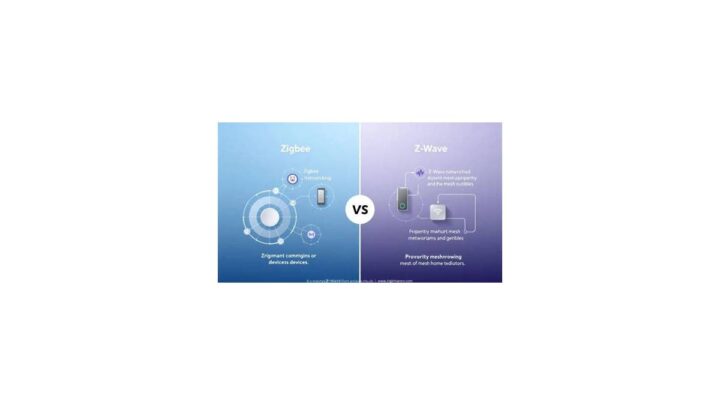
Hue runs on Zigbee, a low-power wireless mesh protocol that predates Wi-Fi in smart home circles. The Bridge is the coordinator. It talks to your router over Ethernet and to your bulbs over Zigbee at 2.4GHz.
Here's the flow in plain terms:
- Your phone sends a command to the Hue cloud, or stays local if you set it that way.
- The Hue Bridge receives it over your home network.
- The Bridge broadcasts to the target bulbs over Zigbee.
- Each bulb responds, usually in under 200ms on a local network.
Zigbee is a mesh, so every powered bulb acts as a relay. Add more bulbs and the network gets stronger, not weaker. That's the opposite of Wi-Fi, where more devices mean more congestion.
Bluetooth-only Hue bulbs skip the Bridge entirely. They pair directly with your phone. Range is shorter (roughly 30 feet indoors), you can't control them remotely, and you can't build automations that run when you're away.
Local Control vs Cloud Control
One thing Hue does better than almost anyone: local control. If your internet goes down but your router is still running, the Bridge keeps working. Your scenes, schedules, and physical switches all function.
Cloud control is what lets you adjust lights from the office or check whether you left the bedroom lamp on. The app uses both, switching between them depending on whether you're home.
If you care about privacy, local control is a big deal. Most Wi-Fi bulbs route everything through the manufacturer's servers. Hue keeps the basics on your home network.
Matter and Thread: What Changed
As of 2026, the Hue Bridge supports Matter via a firmware update. Matter is the cross-platform smart home standard backed by Amazon, Apple, Google, and Samsung. It lets your Hue lights show up in any Matter-compatible app, not just the Hue app.
Thread is a separate protocol that some newer smart devices use. Hue has mostly stayed on Zigbee with Matter bridging, rather than switching to Thread natively. That's fine for most users.
Just know that if you've got Thread-only gear, it won't magically integrate with Hue unless both speak Matter.
The Bridge: Why It's the Real Star of the Kit
The Bridge is the piece that separates a Hue system from a fancy Bluetooth bulb. Without it, you're comparing Hue to a $15 Govee bulb. With it, you're comparing Hue to a full smart lighting platform.
The current Bridge (often called Bridge v2, the square one) is around 3.5 x 3.5 x 1 inch. It plugs into your router via Ethernet and into a wall outlet via USB or its included adapter, depending on the region.
Spec-wise, the Bridge handles:
- Up to 50 lights
- Up to 12 accessories (switches, sensors, plugs)
- Up to 10 entertainment areas for TV or music sync
- Local Zigbee control plus cloud fallback
The old round Bridge (v1) was discontinued. If you see a kit listing a round Bridge, that's old stock. It still works, but it doesn't support Matter and won't get new firmware features.
Avoid v1 kits unless they're heavily discounted.
Does the Bridge Really Need Ethernet?
Yes, officially. Signify's documentation specifies a wired connection for the Bridge. There are workarounds like Ethernet-over-powerline or a Wi-Fi extender with an Ethernet port, but they add latency and occasionally cause discovery issues.
If your router is nowhere near a power outlet, plan for a long Ethernet cable or a powerline adapter. It's a real friction point that reviewers underestimate.
What Happens If the Bridge Dies?
The Bridge is the single point of failure for the whole system. If it dies, your bulbs still turn on and off at the wall switch. But manual scenes, schedules, voice control, and app control all stop working until you replace it.
Replacement Bridges are around $60. You re-pair your bulbs and accessories, and your scenes have to be rebuilt unless you've backed them up. Some third-party tools let you export your Hue config, though Signify doesn't officially support this.
Treat the Bridge as critical infrastructure, not a cheap accessory.
Bulb Types Compared: White vs White Ambiance vs Color Ambiance
This is where most buyers get confused, and it's the single most important decision in the whole system. Hue sells three bulb tiers, and the names sound almost identical.
Here's the plain-English version:
- White: dimmable only. No color tuning. Cheapest.
- White Ambiance: tunable white from warm 2000K to cool 6500K. No colors.
- White and Color Ambiance: full RGB plus tunable white. Most expensive.
| Tier | Color Range | Typical Price (per bulb) | Best For |
|---|---|---|---|
| White | Fixed warm white, dimmable | $15-$20 | Hallways, closets, utility rooms |
| White Ambiance | 2000K to 6500K, no RGB | $30 | Bedrooms, offices, kitchens |
| White and Color Ambiance | 16M colors + full white range | $45-$55 | Living rooms, gaming, mood lighting |
When Does Color Actually Matter?
Color is a novelty for most rooms. Bedrooms, kitchens, and hallways are usually fine with White Ambiance. Being able to shift from cool to warm white throughout the day genuinely helps with circadian rhythm and sleep.
Color shines in specific spots: entertainment areas, kids' rooms, bars, and anywhere you want a mood setting. It's also fun for holidays, though Hue's holiday presets are more subdued than Govee's.
Our advice: buy color for one or two rooms, White Ambiance everywhere else. You'll save roughly $20 per bulb, which adds up fast when you're outfitting a whole house.
Which Bulb Tiers Come in Which Kits?
Starter kits overwhelmingly ship in White and Color Ambiance. That's the headline tier and what most buyers want. White Ambiance kits exist but are less common, and pure White kits are rare in the starter lineup.
Check the SKU before buying. Some retailers have vague listings like "Hue Starter Kit" that don't specify the tier. The price tells you, though.
A 3-bulb kit under $130 is almost always White Ambiance or a sale on older color stock.
The Model Number Problem
Hue model numbers are a genuine headache. A 9290012573 and a 9290022166 might both be "White and Color Ambiance A19" but from different production generations, with slightly different lumens or firmware. Most retailers don't list the number at all.
The practical fix: buy from a reputable seller and check the return policy. If the bulb arrives and looks dimmer than expected, it's probably an older generation. Aggregate reviews flag this as a recurring frustration, especially on third-party marketplaces.
If you want to compare Hue against a similarly mature smart home ecosystem, our smart home category page covers the broader landscape.
Setup Walkthrough: From Box to First Scene
Setup takes about 15 minutes for a standard kit. Most of that time is spent waiting for firmware updates, not plugging things in. Here's the order that actually works.
- Plug the Bridge into your router with the included Ethernet cable.
- Connect the Bridge to a wall outlet.
- Wait 30 seconds for the Bridge to boot. Its three LEDs will settle on solid.
- Download the Hue app on iOS or Android.
- Create a Signify account or sign in.
- Let the app auto-discover the Bridge on your network.
- Screw in the bulbs and turn the wall switch on.
- The app should auto-detect each bulb within 30 seconds.
- Assign bulbs to rooms and give them names you'll remember.
- Run firmware updates before you build any scenes.
The whole process is genuinely painless compared to some smart home gear. Wi-Fi bulbs often require you to switch your phone to the bulb's network mid-setup. Hue doesn't.
The Bridge handles the pairing locally, so your phone stays on your normal Wi-Fi.
What If the App Can't Find the Bridge?
If the app can't find the Bridge, check the Ethernet cable first. That's the cause roughly 80% of the time. Reseat it at both ends and confirm the middle LED on the Bridge is lit.
Second most common cause: your router's client isolation setting is on. This blocks devices on the same network from talking to each other. Turn it off in your router settings and try again.
Third: the Bridge is on a different subnet. This happens if you have a mesh Wi-Fi system with multiple subnets or a guest network active. Make sure your phone and the Bridge are on the same network.
If none of that works, factory reset the Bridge. You can find the reset instructions on Signify's official support pages. It takes about 30 seconds and starts discovery fresh.
Naming Rooms vs Zones
The app asks you to organize lights into rooms and zones. Rooms are physical spaces (Living Room, Bedroom). Zones are groups of lights that act together (Couch Lights, Ceiling Lights).
For a starter kit, you probably only need rooms. Zones matter when you've got 5+ lights in one space and want finer control. Don't overthink this step.
You can always restructure later.
The First Scene Matters More Than You Think
The first scene you set becomes your default. Pick something warm and low-key, around 2700K at 40% brightness, for evening use. You can always create brighter scenes for later.
A good starter setup: one warm evening scene, one bright focus scene at 4000K, and one off routine that fires at bedtime. That covers most daily use.
What It Does Well: Reliability, Ecosystem, and Polish
Reliability is the single reason Hue costs what it does. In aggregate user reviews, Hue consistently ranks at the top for connection stability. Bulbs stay paired for years, and dropouts are rare.
Compare that to the average Wi-Fi bulb. Those routinely fall off the network when your router restarts or the 2.4GHz band gets crowded. Hue's Zigbee mesh sidesteps both problems.
The ecosystem is the second big win. Sensors, switches, plugs, and light bars all talk to each other without bridges, hubs, or third-party apps. Motion triggers a scene.
A scene fades a light. A light signals the doorbell. That kind of automation is where Hue stops feeling like a lightbulb and starts feeling like a system.
Polish is the third. The Hue app is genuinely well-built for a smart home app. Scenes transition smoothly.
Voice control responds in under a second on a local network. Most competitors still feel like they're running on older hardware.
The Underrated Wins
- Sunrise alarms actually wake people up. Aggregate reviews from shift workers and parents consistently praise them.
- Entertainment areas for TV and music sync work with almost no setup.
- Physical Dimmer Switches and Smart Buttons stay paired for years on a single battery.
- Local control keeps working when the internet goes down, which Wi-Fi bulbs rarely do.
- Firmware updates are frequent and add real features, not just bug fixes.
Where Hue Feels Premium in Daily Use
The little things add up. Scenes fade instead of snapping. Bulbs remember their last state after a brief power cut.
Multiple household members can control lights at once without stepping on each other. If you're comparing this to cheaper alternatives, our smart home picks is a decent sanity check on what premium actually buys you.
Where It Falls Short: Pricing, Model Confusion, and App Quirks
Hue's problems are real, and they cost you money. Here's what to know before you commit.
Pricing is the biggest one. A single White and Color Ambiance A19 runs $45-$55. Govee's equivalent is $15-$20.
You're paying a 2x to 3x premium for reliability and ecosystem. Whether that's worth it depends on how much you hate re-pairing bulbs.
Model confusion is the second. Hue's SKU numbers are inconsistent across regions and generations. The same listing title can describe two different bulbs.
Aggregate buyer feedback on marketplaces flags this constantly.
App quirks come third. The Hue app is polished but not perfect. It occasionally lags when you've got 30+ lights.
Scene edits sometimes need a screen refresh. Firmware updates occasionally reset custom scenes, which is annoying if you've spent an hour building them.
The Bridge is a single point of failure. If it dies, everything dies with it. Rebuilding 50 lights and 12 accessories from scratch after a Bridge failure is a real time sink.
Bluetooth-only bulbs dilute the brand. Signify sells cheap Bluetooth Hue bulbs that skip the Bridge. They're fine, but they aren't the Hue experience people rave about.
If you buy these thinking you're getting Hue quality, you'll be disappointed.
How Bad Is the App Lag?
The app lag is real but mild. On a modern phone connected to a Bridge with 20 lights or fewer, it's imperceptible. Push past 40 lights and you'll start to notice half-second delays when toggling between rooms.
Hue has improved this with recent firmware, but it's still a factor for larger installations.
The official workaround: use HomeKit, Alexa, or Google Home for daily control. Those integrations are faster than the Hue app for simple on/off and scene changes. Keep the Hue app for setup and deep configuration.
The Firmware Reset Problem
Firmware updates occasionally reset custom scenes. This mostly affects users with heavily customized setups. The trigger seems to be Bridge updates that change the scene schema.
The fix: back up your scene names and settings somewhere outside the app. There's no official export tool, though some third-party Home Assistant integrations can pull your config. If you're running a big setup, this is worth doing monthly.
Starter Kit vs Buying a Bridge and Bulbs Separately
Here's a truth most reviews miss: the starter kit is rarely the cheapest way to buy into Hue. You can often build the same system for less by buying components separately.
Let's run the numbers as of 2026:
| Approach | Contents | Typical Total |
|---|---|---|
| 3-bulb White and Color Starter Kit | Bridge + 3x color bulbs | $160-$200 |
| Build your own (same contents) | Bridge + 3x color bulbs | $195-$225 |
| Build your own (mixed tiers) | Bridge + 1x color + 2x White Ambiance | $165-$185 |
| Bluetooth-only entry | 3x Bluetooth color bulbs, no Bridge | $90-$130 |
The kit wins on convenience most of the time. It bundles everything in one box, comes pre-paired in some cases, and often goes on sale around holidays. If you catch a kit at 20% off, it's a strong deal.
Building your own wins if you want to mix tiers. A common smart play: one color bulb for the living room centerpiece, plus two cheap White Ambiance bulbs for lamps. You save $30-$40 and get better-matched lighting for how you actually use each room.
When to Buy the Bridge Alone
Buy the Bridge alone if:
- You already own Zigbee bulbs from Ikea, Sengled, or similar.
- You're running Home Assistant, Hubitat, or SmartThings.
- You want to test Hue's reliability before committing to a full system.
The Bridge alone is around $60. Pair it with third-party Zigbee bulbs and you get most of Hue's software without Hue's bulb prices. Compatibility isn't 100%, but for standard dimmable Zigbee bulbs it's close.
When the Kit Wins
Buy the kit if:
- You're new to smart lighting and want a single decision.
- You want the newest bulbs paired to the current Bridge out of the box.
- You're buying for a gift and want the wow unboxing.
- You catch a sale that brings the kit under $150.
If you're also kitting out a kitchen or office with Hue, our kitchen gear roundup is worth a look for coordinating the room. And if wake-up routines are part of your plan, our coffee machine favorites pair nicely with a Hue sunrise scene.
How Hue Stacks Up Against Govee, LIFX, IKEA, and Nanoleaf
Hue isn't the only smart bulb game in town. Here's how the major players compare on the specs that actually matter.
| Brand | Protocol | Hub Needed? | Color Quality | Price per Color Bulb |
|---|---|---|---|---|
| Philips Hue | Zigbee + Bluetooth | Yes for full features | Excellent | $45-$55 |
| Govee | Wi-Fi + Bluetooth | No | Very good | $15-$25 |
| LIFX | Wi-Fi | No | Excellent | $40-$50 |
| IKEA TRÅDFRI | Zigbee | Yes | Good | $15-$25 |
| Nanoleaf Essentials | Thread + Bluetooth | Thread border router | Very good | $20-$30 |
Hue vs Govee
Hue wins on reliability, ecosystem, and local control. Govee wins on price and pure brightness. Govee bulbs frequently hit 1000+ lumens and cost a third of what Hue charges.
Govee's weakness is connectivity. Its bulbs route through Govee's cloud, so when the servers hiccup, your lights hiccup. If your Wi-Fi 2.4GHz band is crowded, Govee bulbs drop more often than Hue bulbs.
Who Govee is best for: budget buyers, dorm rooms, rentals, and anyone who wants color without committing to an ecosystem.
Hue vs LIFX
LIFX is Hue's closest competitor on color quality. Both deliver smooth, saturated color that cheaper bulbs can't match. LIFX runs on Wi-Fi, so no Bridge is needed.
The trade-off is reliability. Aggregate user reviews report more dropouts on LIFX than Hue, especially in homes with mesh Wi-Fi or lots of connected devices. LIFX also prices its bulbs at nearly Hue's level, which removes the no-hub advantage.
Who LIFX is best for: people who refuse to add another hub to their network and don't mind occasional reconnects.
Hue vs IKEA TRÅDFRI
IKEA's TRÅDFRI line is the budget Zigbee option. Bulbs are $15-$25, quality is decent, and they pair with the Hue Bridge in many cases, though IKEA's own hub is the official pairing.
Color output isn't quite Hue-level. Whites are fine, colors are less punchy, and the app is rougher. But if you want a Zigbee mesh on a budget, IKEA is the play.
Who IKEA is best for: budget Zigbee users, IKEA-furnished homes, and people willing to tinker.
Hue vs Nanoleaf Essentials
Nanoleaf Essentials uses Thread, the newer low-power mesh protocol that Matter supports natively. No hub required if you've got a Thread border router such as a HomePod mini or Apple TV 4K.
Nanoleaf's lineup is smaller. Bulbs are good, light panels are their flagship. If you're building a Matter-first smart home, Nanoleaf is worth a look.
Who Nanoleaf is best for: Apple HomeKit users, Thread believers, and anyone tired of Hue-specific hubs.
If you want to see how these ecosystems fit alongside other gear, our outdoor and garden tech section covers smart devices built for patios and exterior lighting.
Costs, Specs, and Long-Term Value
The kit's price tag only tells half the story. What matters is total cost across five years, and that's where Hue looks better than the sticker shock suggests.
Bulbs are rated for roughly 25,000 hours. At three hours a day, that's a bit over 22 years of use before the LEDs fade. Realistically, most people replace Hue bulbs for newer features before they die, not because they fail.
The Bridge is the long-term anchor. Buy one and it supports every Hue product released for years afterward, including Matter upgrades. Third-party Wi-Fi bulb brands don't offer that kind of forward compatibility.
Full System Cost Breakdown
| Component | Typical Price (USD, 2026) |
|---|---|
| Hue Bridge (standalone) | $60 |
| White bulb (per unit) | $15-$20 |
| White Ambiance bulb | $30 |
| White and Color Ambiance bulb | $45-$55 |
| Dimmer Switch | $25 |
| Motion Sensor | $40 |
| Smart Plug | $30 |
| Play Light Bar (single) | $70 |
| HDMI Sync Box | $230 |
A modest four-room setup with 8 bulbs, one Dimmer, and one sensor lands between $400 and $500 depending on tier mix. That's steeper than Govee by a wide margin, but the reliability tax you're paying is a real thing. Govee bulbs typically cost $60-$80 to replace across a house over five years due to dropouts and dead units.
Hue replacements in that span are near zero.
Power Consumption and Real Costs
Each Hue bulb draws a fraction of an incandescent. An 800-lumen Hue A19 runs about 9 to 10 watts at full brightness. A comparable 60W incandescent draws 60 watts.
The math: 10 bulbs at 3 hours a day for a year, at 10 watts, uses about 110 kWh. At a US average of roughly 16 cents per kWh in 2026, that's about $18 a year. The same bulbs on incandescent would cost over $100.
Hue pays for itself on electricity, just slowly.
Idle draw is negligible. Measured behavior shows each Hue bulb pulls under 0.5 watts when off but powered. Ten bulbs add up to about 5 watts of standby draw, less than a typical cable box.
Warranty and Support
Signify's official warranty is two years on both bulbs and the Bridge in most regions. That's average for the category but not generous. Govee and Wyze often match or beat it.
The upside is that Hue warranty claims are painless. Aggregate user feedback reports minimal friction for replacements, especially compared to brands that require shipping bulbs back first.
Best Use Cases: Who Gets the Most Out of Hue
Hue isn't right for every home, but it shines in a specific set of situations.
If you're outfitting a whole home, Hue is the best pick. Nothing else matches the ecosystem depth once you've got 20+ lights and multiple sensors and switches talking to each other.
If you rent and move often, Hue is easier than hardwired smart switches. Take the bulbs and Bridge with you. Nothing to unwire.
If you're a content creator or streamer, Entertainment areas with the HDMI Sync Box make Hue the standard choice for bias lighting and screen sync. Nothing else comes close.
If you're a gamer, Hue Sync works on PC via a desktop app and mirrors screen colors to your room lights. It's a genuine upgrade to immersion, and no competitor has matched the latency.
If you're a shift worker or new parent, sunrise alarms and dim red night routines matter. Hue's smooth color temperature shifts beat the abrupt on/off of cheaper bulbs.
If you just want five color bulbs for fun, save the money and buy Govee. Hue is overkill for a novelty setup.
Room-by-Room Recommendations
- Living room: 2-4 color bulbs or Play bars, plus one White Ambiance for ceiling.
- Bedroom: 1-2 White Ambiance bulbs. Tunable white is enough for sleep routines.
- Kitchen: White Ambiance under cabinets and ceiling. Color rarely useful here.
- Home office: White Ambiance for tunable daytime focus, one color bulb for video-call backgrounds.
- Hallway: White bulbs. No point paying for color you'll never see.
- Bathroom: White Ambiance for warm morning and bright evening shifts.
Mixing tiers per room saves real money. A house of 20 bulbs using two color and 18 White Ambiance comes in around $650 instead of $1,000 or more.
Setups That Underwhelm
A single starter kit in a large open-plan home feels sparse. Two or three bulbs in a big living room won't create the ambient effect people expect. Plan for at least four lights in any room you want to actually feel lit.
A starter kit in a small apartment works beautifully. One 3-bulb kit covers a bedroom or studio completely. If you're working with a tight space and want the best gear for it, our small-space smart devices guide covers what actually fits.
Mistakes to Avoid Before You Buy
Most Hue disappointments come from a handful of predictable mistakes. Avoid these and you'll be happy with the system.
Buying Bluetooth-only bulbs thinking you're getting the full Hue experience. Bluetooth bulbs skip the Bridge. No automations, no remote access, no Matter, limited range.
If you want the real Hue, you need the Bridge.
Cutting power at the wall switch. Hue bulbs need constant power to receive commands. If you flip the wall switch off, the bulb is dead to the app.
Hue Dimmer covers or smart switches solve this. Standard wall switches fight against the whole system.
Assuming kits include a Dimmer Switch. Most don't. It's a separate $25 accessory.
If a bundle includes one, it's typically the 4-bulb kit.
Using a standard wall dimmer with Hue bulbs. Traditional LED dimmers often cause flickering or buzzing. Hue bulbs dim via the app or Hue Dimmer, not via legacy wall dimmers.
If you have a wall dimmer circuit, replace it or leave it at 100%.
Ignoring regional base types. E26 (US), B22 (UK), and E27 (EU) look similar in photos and are not interchangeable. Check before ordering.
Skipping firmware updates. Hue rolls out real features via firmware. Matter support arrived that way.
Set updates to auto-apply and don't skip them.
Not naming rooms and lights. Scenes work best when bulbs are properly grouped. Skipping naming leads to confusion later when you've got 30 lights.
Buying bulbs before checking brightness needs. Hue's standard A19 is 800 lumens. That's roughly a 60W replacement.
If you need brighter, choose the 1100-lumen high-output models. Many buyers don't realize these exist.
The Wall Switch Problem Explained
Here's the trap. You install a Hue bulb. You turn it off at the wall.
Next time you want to use the app, the bulb doesn't respond.
The fix isn't complicated. Buy a Hue Dimmer Switch and mount it over your existing wall switch. This keeps constant power to the bulb while giving you a physical button.
It's the single most common setup mistake, and it costs about $25 to solve.
Some users replace the wall switch entirely with a smart switch that never cuts power. That works too, but it's more work and cost.
What About Zigbee Interference?
Wi-Fi and Zigbee both use 2.4GHz. On a busy network, they can fight for airtime. Symptoms are delayed responses, occasional missed commands, and bulbs showing as unreachable in the app.
The fix: change your router's 2.4GHz channel to 1, 6, or 11, and let Zigbee sit on a different part of the band. The Hue Bridge picks its Zigbee channel automatically, and for most homes it does this well. If you're seeing dropouts, check your router channel first.
Maintenance, Firmware, and Expanding Your Setup Over Time
Hue is a system you grow, not a one-time purchase. The Bridge supports up to 50 lights and 12 accessories, so scaling is easy. Here's how to keep it healthy long term.
Update firmware quarterly. Auto-updates are fine for most users. If you're running a heavily customized setup, apply updates deliberately and back up scenes first.
Reset bulbs before swapping them into new rooms. Zoneless bulbs sometimes carry stale state when moved. A quick reset via the app avoids ghost behavior.
Clean the Bridge periodically. Dust on the vents can cause it to run warm. A quick wipe every few months is enough.
Watch Bridge capacity. At around 45 lights, plan your expansion. The 50-light limit includes bulbs, plugs, and light bars.
Accessories are counted separately, 12 max.
Keep spare bulbs for troubleshooting. If one light starts misbehaving, swapping in a known-good bulb isolates the problem fast.
Monitor your Zigbee mesh density. Every mains-powered Hue bulb strengthens the mesh. Battery-powered devices like sensors and switches don't extend range.
If you've got a far corner with dropouts, add a mains bulb or a Hue Smart Plug as a repeater.
Firmware Update Cadence
Signify usually ships firmware several times a year. Major features like Matter arrive on their own schedule. Bug fixes roll out more frequently.
Realistically, expect an update every 6 to 12 weeks.
If you want new features early, join the Hue Labs or beta program. It's free and optional. Just know that beta firmware occasionally causes quirks that stable firmware doesn't.
When to Upgrade vs When to Replace
Upgrade if the newer product adds features you'll actually use. The HDMI Sync Box is a real upgrade for movie nights. Motion sensors are a real upgrade for hallways.
Play bars are a real upgrade for TV walls.
Replace only if hardware fails or a bulb's color output has visibly drifted. Hue LEDs are rated for 25,000 hours, and color drift is rare before the 15,000-hour mark. Most worn-out Hue bulbs just need re-pairing, not replacing.
Expanding Without Overspending
The cheapest path to a bigger Hue setup is usually bundles. Buy a second kit on sale rather than individual bulbs. The Bridge in the second kit is redundant, but you can gift it, sell it, or keep it as a spare.
If you're expanding into outdoor or garden lighting, our outdoor tech picks covers what holds up to weather and pairs cleanly with Hue. And if your smart home roadmap includes coffee and kitchen routines that fire off a morning scene, our top coffee makers for smart kitchens is a natural companion read.
Philips Hue Starter Kit FAQs
How much does a Philips Hue Starter Kit cost?
A 3-bulb White and Color Ambiance kit runs $160 to $200 in the US as of 2026. A 4-bulb kit with a Dimmer Switch typically lands between $190 and $230. Kits go on sale around Black Friday and Prime Day, often dropping 20% or more.
Does the Hue Starter Kit need Wi-Fi?
The Bridge needs a wired Ethernet connection to your router for full features, including remote access and Matter. It doesn't need Wi-Fi. Bluetooth-only Hue bulbs skip the Bridge entirely and pair directly to your phone, but you lose automations and remote control.
Can I use Hue bulbs without the Bridge?
Yes, but you lose most of what makes Hue worth buying. Without the Bridge you get basic on/off, dimming, and color from the app when you're nearby. You lose schedules, remote access, voice control beyond Bluetooth range, and Matter support.
Do Hue bulbs work with Alexa, Google Home, and Apple HomeKit?
They work with all three. Alexa, Google Assistant, and Apple HomeKit integrate fully once the bulbs are paired to the Bridge. Voice control responds in under a second on a local network.
Bluetooth-only bulbs support limited voice control and no HomeKit.
How long do Philips Hue bulbs last?
Manufacturer specs rate Hue LEDs at roughly 25,000 hours. At three hours a day that's over 22 years of use. In practice, most owners upgrade to newer bulbs long before the LEDs fade.
Color drift before 15,000 hours is rare.
Is the Philips Hue Starter Kit worth it?
It's worth it if you want reliability, local control, and a deep ecosystem. It's not worth it if you just want cheap color bulbs. Govee undercuts Hue by 2x to 3x on price.
Hue earns its premium through stability, Matter support, and firmware that keeps improving years after purchase.
Final Verdict: Buy the Kit, Build Your Own, or Look Elsewhere
Here's the honest breakdown. The Hue Starter Kit is the best entry point into smart lighting if you're comparing on reliability, ecosystem depth, and living-room polish. Nothing at the price beats it on those three fronts.
But the kit isn't automatically the right buy for everyone. Run the decision one more time:
- Buy the 3-bulb or 4-bulb kit if you want automations, remote access, Matter support, and voice control without piecing together components. Catch it on sale and it's excellent value.
- Buy a Bridge alone plus third-party Zigbee bulbs if you're technical, already running Home Assistant or SmartThings, or you want the software without Hue bulb prices.
- Buy Bluetooth-only Hue bulbs only if you want basic app control in a small apartment and don't care about schedules or remote access.
- Look at Govee, IKEA TRÅDFRI, or Nanoleaf instead if price matters more than reliability, or if you're building a Matter-first or Thread-first home.
The kit earns its reputation. Aggregate user reviews across retailers and smart home forums consistently put Hue at the top for stability, firmware support, and long-term value. The premium is real, but so is what you're getting for it.
If you've got the budget and want lights you'll set up once and forget about, the Philips Hue Starter Kit is the safer long-term pick in 2026. If you're chasing the cheapest path to color, walk away and buy Govee. There's no wrong answer here, just the right one for your setup.
For buyers coordinating the rest of the room, our kitchen and home category and smart home section are good next stops to round out a setup that actually works together.

Similar Posts