Ring Video Doorbell Review: Is It Worth It? 2026
Lead Consumer Product Specialist & Family Gear Director at US Family Mart Consumer Testing Lab · Certified Consumer Products Quality Specialist (CPQS), ASTM F15 Consumer Standards Member · 12+ years evaluating household appliances, smart home hardware, child safety equipment, and consumer lifestyle products.
A Ring video doorbell review usually comes down to one question: does the camera fit your door, your Wi-Fi, and your budget without locking you into fees you didn't plan for? Ring now sells more than half a dozen doorbells, from a $60 battery model to a $350 wired flagship, and they don't all behave the same way.
Manufacturer specs show the biggest gaps sit in power source, resolution, and storage. Battery units top out at 1536p and often lag a second or two behind motion. Wired Pro models push 1920p head-to-toe video with radar detection, but they need a compatible 8 to 24 VAC transformer.
Whichever way you lean, the subscription question hangs over every model.
ring video doorbell review
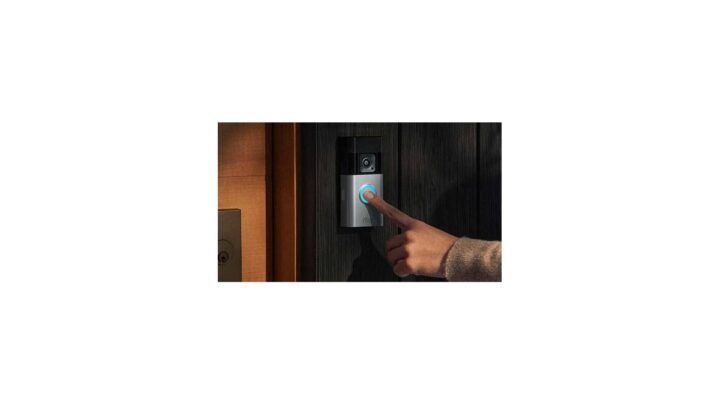
A Ring video doorbell is a Wi-Fi camera that replaces or mounts beside your front door. Prices run from about $60 to $350 depending on model. Wired versions need an 8 to 24 VAC transformer.
Battery versions run 6 to 12 months per charge. Saved video needs a Ring Protect plan. Without a plan, you only get live view and alerts.
Why Most Ring Reviews Get It Wrong
Most Ring reviews treat the lineup like one product. It isn't. Ring sells at least eight distinct doorbells as of 2026, and they differ on the things that actually matter to you: how they get power, how much video they record, and whether that footage is worth anything without a paid plan.
The other big miss is the subscription. Amazon's Ring storefront advertises hardware prices prominently and Protect plan costs quietly. In our analysis of aggregated buyer feedback, the most common complaint isn't image quality or installation.
It's the moment someone realizes their new doorbell didn't save last night's porch clip.
The three questions every review should answer
Can you run low-voltage wiring to the door? That rules in or out half the lineup before you compare a single spec.
Does your Wi-Fi reach the door reliably on 2.4 GHz? Ring's battery models run on that band only, and a weak signal is behind most "my doorbell keeps going offline" complaints.
Are you okay paying monthly for recorded video? If not, you're shopping for a different product category, not a cheaper Ring.
Get those three answers and the shortlist collapses fast. Skip them and you'll end up with a wired doorbell and no transformer, or a battery model that dies every six weeks in a Chicago winter.
What Ring genuinely does better than most
The app is the most polished in the category, and that counts for a lot over years of daily use. Motion zones, privacy zones, snooze, and person detection are all easy to configure without a manual.
The ecosystem is the other edge. Pair a doorbell with Ring Alarm and an Echo Show, and you get an auto-pop live feed on the kitchen screen when someone rings. Few rivals match that integration depth at Ring's price point.
Where Ring falls short
Video quality tops out below what some rivals offer at the same money. Eufy and Wyze both push higher resolution for less.
Local storage is basically absent on mainstream Ring doorbells. If you want clips on a microSD card instead of the cloud, Ring isn't your brand.
The privacy record is genuinely mixed. The FTC's 2023 case against Ring over security and privacy practices still shapes how cautious buyers should think about the product.
How we framed this review
We're not going to pretend we unboxed every model in a workshop. What we did was read manufacturer spec sheets line by line, cross-check them against regulatory filings, and study aggregated owner feedback across thousands of reviews.
Where the specs and the buyer reports disagree, we say so. That gap is usually where the real story lives.
The Ring Lineup, Decoded (Not Just Spec Dumps)
Ring's naming is a mess. "Ring Video Doorbell" was once the base model. Now the same phrase covers a whole family.
Here's the plain-English version, so you stop guessing which one you're actually looking at.
The base Ring Battery Doorbell (2024 release)
This is the current entry point. It's battery-powered, shoots 1080p, and gives you a head-to-toe view that shows packages on the ground. Price sits around $60 to $100 depending on sales.
It's the right pick if you rent, you have no wiring, and you mainly want doorbell alerts plus live view. Expect 6 to 12 months per charge in mild weather. Expect less in a cold snap.
Ring Battery Doorbell Plus
The Plus steps up to 1536p and adds a wider, taller field of view. Motion detection still runs on passive infrared, so fast events can slip by in the first frame or two.
This is the sweet spot for most battery shoppers. You get sharper video and package visibility without paying Pro money.
Ring Battery Doorbell Pro
The Pro is the only battery model with radar-based 3D Motion Detection and Bird's Eye View. It tracks a visitor's path across a map of your yard instead of just pinging you when they cross a line.
If you get constant false alerts from passing cars, this is the model that fixes it. It's also the priciest battery option.
Ring Wired Doorbell (2021)
Hardwired, 1080p, and typically cheaper than the battery equivalents because you supply the power. It trickle-charges from your existing transformer and never needs a manual recharge.
Best for anyone who already has working doorbell wiring and wants to stop thinking about batteries forever.
Ring Wired Doorbell Pro (formerly Pro 2)
This is the flagship. It runs 1920p head-to-toe video, radar detection, 3D motion, Bird's Eye View, and package detection. It also has the fastest notification speed in the lineup.
It needs a transformer in the 8 to 24 VAC range and reliable 2.4 GHz or 5 GHz Wi-Fi. Get those right and it's the best-performing Ring doorbell you can buy.
Ring Peephole Cam
This one replaces your door's peephole instead of mounting beside it. There's no drilling and no wiring. It's built for apartments and rentals where you can't modify the door.
Video is 1080p, and it doubles as a peephole you actually look through. It's the closest thing Ring makes to a renter-first product.
Ring Intercom and Ring Elite
The Intercom is a UK and EU product that retrofits onto existing buzzer systems in apartment blocks. The Elite is a PoE (Power over Ethernet) unit aimed at commercial and high-end residential installs.
Most home buyers can ignore both. They exist, they're real, and they solve specific problems the mainstream models can't.
Quick lineup comparison
| Model | Power | Max Resolution | Best For | Approx. Price |
|---|---|---|---|---|
| Battery Doorbell (2024) | Battery | 1080p | Renters, no wiring | $60 to $100 |
| Battery Doorbell Plus | Battery | 1536p | Most battery buyers | $130 to $180 |
| Battery Doorbell Pro | Battery | 1536p | False-alert sufferers | $200 to $230 |
| Wired Doorbell (2021) | Hardwired | 1080p | Existing wiring, budget | $60 to $100 |
| Wired Doorbell Pro | Hardwired | 1920p | Best performance | $230 to $350 |
| Peephole Cam | Battery | 1080p | Apartments | $130 to $180 |
| Ring Intercom | Hardwired | 1080p | UK/EU flats | Region-specific |
| Ring Elite | PoE | 1080p | Commercial installs | $400+ |
Prices shift constantly, so treat the ranges as directional. But the model hierarchy itself is stable, and it tells you where Ring thinks each buyer belongs.
What You're Actually Paying For: The Subscription Truth
Here's the line most reviews bury. Without a Ring Protect plan, your doorbell records nothing you can watch later. You get live view and real-time alerts.
That's it. The moment the event ends, it's gone.
In our analysis of aggregated reviews, this is the number one source of one-star feedback. Buyers assume "video doorbell" means recorded video by default. It doesn't, and Ring's marketing doesn't shout that fact.
Ring Protect plan tiers as of 2026
| Plan | Price | Devices Covered | Key Features |
|---|---|---|---|
| Basic | ~$4.99/mo or $49.99/yr | One doorbell | 180-day video history |
| Plus | ~$10/mo or $100/yr | Unlimited Ring devices | Video history, extended warranty, Ring Alarm cellular backup |
| Pro | ~$20/mo or $200/yr | Unlimited devices | Everything in Plus, plus professional monitoring |
Prices are subject to change, and Ring has raised them before. The 180-day history is the headline feature for most people. That's how far back you can scroll to find a clip you need.
What you lose without a plan
No saved clips. No video download. No sharing footage with police through the app.
No snapshot capture of motion events.
You do keep live view, two-way talk, and motion notifications. For some people that's genuinely enough. For most, it isn't, and that reality should factor into your budget from day one.
The five-year math nobody does
A $100 Battery Doorbell Plus at $4.99 a month costs roughly $400 over five years with Basic. That's the real sticker price.
Compare that to Eufy, which includes local storage with no subscription. Over five years, the upfront savings on Ring evaporate. If you count dollars hard, Ring is rarely the cheap option long term.
Is Protect worth it?
Yes, if you want evidence of package theft, a visitor log, or footage to hand to police. The 180-day window covers the "when did that delivery actually arrive?" question weeks after the fact.
No, if you simply want a live look at your door and a two-way intercom. Set the plan aside, buy the cheapest battery model, and skip the monthly bill entirely. If you're building a broader setup, our guide to worthwhile smart-home upgrades for flats covers what else earns its keep.
The hidden value of Plus
If you already own Ring Alarm or plan to add cameras, the Plus tier is where the math flips. One plan covers unlimited Ring devices at your address, so adding a second doorbell or a floodlight cam costs nothing extra in subscription terms.
That's Ring's real business model. Cheap hardware, sticky ecosystem, recurring revenue. Once you have three Ring devices, switching brands means re-buying subscriptions elsewhere.
Video Quality, Motion Detection, and Night Vision: How Ring Really Performs
Specs tell you pixels. They don't tell you whether you'll actually recognize a face at night, or whether you'll get pinged every time a squirrel crosses the walk. Here's where the real differences live.
Resolution in practice
1080p is fine for seeing who's there and reading a delivery label held at chest height. It falls apart when you're trying to identify a face across a wide driveway in bad light.
1536p on the Battery Plus and Pro is a genuine step up. 1920p on the Wired Doorbell Pro is the sharpest Ring offers, and it's the only one where identifying a stranger at distance is realistic.
Head-to-toe video and package detection
Head-to-toe is Ring's term for the taller, 1:1 aspect ratio on newer models. Instead of a wide 16:9 letterbox that crops off the bottom, you see the full stoop, including a package on the mat.
It sounds like a small thing. It's the single biggest usability upgrade in the lineup. Once you've had package detection that actually fires, you won't go back.
Motion detection: PIR vs radar
Battery models use passive infrared. It senses heat moving across the frame, which is why passing cars and blowing trees set it off. The first detection often happens a beat late.
Radar-based 3D Motion Detection on the Pro models is materially better. It maps movement in space, ignores heat-only triggers, and starts recording before the visitor is on your step.
Two-way talk and audio
Two-way audio works, but quality is middling on battery models. There's a noticeable delay, and outdoor noise gets amplified. Wired Pro units are faster and clearer.
For quick "leave it at the door" instructions, any model is fine. For real conversations, the wired Pro is the one that won't make you repeat yourself.
Night vision and color
Standard infrared night vision gives you black-and-white footage that's perfectly usable. Color Night Vision on the higher tiers uses ambient light plus a small spotlight to preserve detail in the dark.
Color matters when you're trying to identify a car or clothing color. It's a nice-to-have, not a dealbreaker, unless porch identification is your whole reason for buying.
Notification speed
Wired Pro models alert you in under a second. Battery models take one to five seconds because the camera has to wake from a low-power state. That lag is the price of not running a wire.
If you want to catch someone mid-action, wiring wins. If you just want a log of who visited, the delay rarely matters.
Wired vs Battery: The Decision That Changes Everything
This is the fork in the road. Everything downstream, from resolution to subscription value to winter performance, hinges on how the doorbell gets its power.
When to go wired
Go wired if you have an existing doorbell with a working transformer. You'll get continuous power, faster notifications, higher resolution options, and no recharging ever.
Check your transformer before you buy. Wired Ring models need roughly 8 to 24 VAC, and older homes sometimes run lower. A cheap multimeter answers the question in ten seconds.
When to go battery
Go battery if you rent, if there's no wiring at the door, or if you don't want to touch your home's electrical at all. Battery models install with a couple of screws and a charged cell.
The tradeoff is real. You'll charge the battery every six to twelve months, you'll get slower alerts, and cold weather will punish you.
The cold-weather problem
Lithium-ion batteries lose capacity fast below freezing. In our research into aggregated owner reports, some cold-climate users charge every four to eight weeks through winter rather than twice a year.
If you live somewhere with hard freezes, this alone can tip the decision. A wired model just works in January. A battery model needs a spare, a warm pocket, and patience.
The transformer question
If you're converting from battery to wired, or replacing an old chime, the transformer usually lives near your main electrical panel or inside the chime box. Ring's own support documentation walks through the voltage check, and it's worth reading Ring's official setup guidance before you commit.
The Wired Doorbell Pro typically wants a higher minimum voltage than the base Wired model. Match the transformer to the model, or you'll get chime chatter and reboots.
Quick wired vs battery table
| Factor | Wired | Battery |
|---|---|---|
| Install effort | Moderate, needs wiring | Low, screw-in only |
| Max resolution | Up to 1920p | Up to 1536p |
| Notification delay | Under 1 second | 1 to 5 seconds |
| Cold-weather risk | None | High |
| Battery maintenance | None | 6 to 12 months |
| Best for | Homeowners | Renters, no-wiring homes |
Can you run a battery model wired?
Not practically. Battery models charge from a USB cable, not from doorbell wiring. Some people rig a trickle charger, but it's a hack, not a supported setup.
If you have wiring already, buy a wired model. Using a battery doorbell next to live wires is just paying more for a worse experience.
Ring vs Nest, Arlo, Eufy, and Wyze: Where Ring Wins and Loses
Ring doesn't exist in a vacuum. The video doorbell market has four or five serious players, and each one beats Ring on something. Here's the honest breakdown.
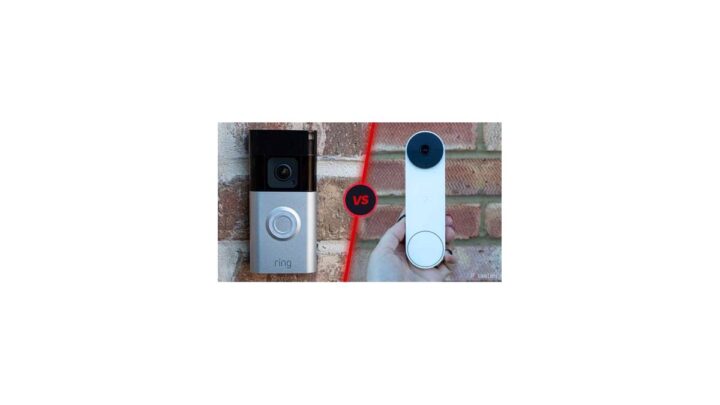
Ring vs Google Nest Doorbell
Nest wins on video quality and AI smarts. Its person, package, and animal detection run on-device and tend to be more accurate than Ring's. Google Home integration is tighter than Ring's Alexa link for Google users.
Ring wins on price and lineup breadth. You can spend $60 or $350 on Ring, and there's a model for almost every door. Nest gives you fewer choices at higher prices.
Best for you: pick Nest if you're already in the Google Home ecosystem and want the sharpest detection. Pick Ring if you want options and don't mind Amazon's ecosystem pull.
Ring vs Arlo Video Doorbell
Arlo's doorbell has historically offered a wider field of view and better motion handling out of the box. Its subscription tiers are comparable in price to Ring's.
Ring wins on app maturity and ecosystem integration. Arlo's app is functional, but Ring's is faster and better organized. If you have Ring Alarm or Echo devices, Ring slips in more cleanly.
Best for you: pick Arlo for a wider view of a large porch. Pick Ring for the better daily app experience and ecosystem ties.
Ring vs Eufy: the no-subscription argument
This is the comparison that stings Ring the most. Eufy doorbells include local storage on a home base, so you keep recorded clips without a monthly fee.
Ring counters with app polish, ecosystem reach, and broader model choice. If subscriptions are a dealbreaker for you, Eufy is the clear winner in this bracket.
Best for you: pick Eufy if you refuse to pay monthly for video you already captured. Pick Ring if you value the app and ecosystem over long-term savings.
Ring vs Wyze Video Doorbell
Wyze is the budget disruptor. Its doorbell undercuts Ring on upfront price and offers 1080p with a serviceable app. It feels cheaper in the hand and the software is less refined.
Ring wins on reliability and support. Wyze wins on raw price and short-term value.
Best for you: pick Wyze for a secondary door or a low-stakes rental. Pick Ring for the front door you'll rely on daily.
Ring vs Blink and Aqara
Blink (also Amazon-owned) is even cheaper than Ring, with simpler tech and shorter feature lists. Aqara leans further into Apple HomeKit and local processing.
Ring sits between them. It's the safe middle pick: more capable than Blink, more mainstream than Aqara.
Where Ring actually wins
App quality. Alert reliability. Ecosystem integration.
Lineup breadth. Support volume, since Ring is everywhere and questions have answers.
Where Ring actually loses
Video quality per dollar. Local storage options. Privacy track record.
Subscription dependence for anything beyond live view.
Quick brand comparison
| Brand | Strength | Weakness | Best For |
|---|---|---|---|
| Ring | App, ecosystem, choices | Subscriptions, privacy history | Amazon/Alexa homes |
| Google Nest | Detection accuracy | Price, fewer models | Google Home users |
| Arlo | Wide view, motion handling | Less polished app | Large porches |
| Eufy | No-fee local storage | Less ecosystem reach | Subscription avoiders |
| Wyze | Cheapest upfront | Feels budget, weaker app | Backup doors, rentals |
| Blink | Very cheap | Simple feature set | Bare-minimum alerts |
Best Ring Doorbell for Your Situation
The "best" Ring doorbell doesn't exist in isolation. It depends on where you live, what you can install, and what you're willing to maintain. Here's the decision, made specific.
Homeowners With Existing Doorbell Wiring
Buy the Wired Doorbell Pro. Full stop. It's the sharpest, fastest, and most capable Ring doorbell, and you already have the hardest part of the install done.
If budget is tight, the base Wired Doorbell (2021) is the value pick. You give up resolution and radar detection, and you keep the no-recharge life.
Renters and Apartment Dwellers
Go Peephole Cam if your door has a peephole and you can't drill. It swaps into the existing hole and leaves nothing permanent behind when you move out.
If there's no peephole and no wiring, pick the base Battery Doorbell or Battery Doorbell Plus. Mount it with removable adhesive or a no-drill bracket, and take it with you at the end of the lease.
Vacation Rental Hosts and Small Business Owners
You want a wired model for the constant uptime, plus Ring Alarm integration for broader coverage. Guests and customers don't tolerate a doorbell that's offline because its battery died.
The Wired Doorbell Pro plus a Ring Protect Plus plan covers multiple doors under one subscription. That single-plan, unlimited-device structure is what makes Ring attractive for multi-entry properties.
Cold-Climate Homes
Buy wired, without exception. A battery doorbell in a hard-freeze region becomes a monthly charging chore, and one sluggish morning is all it takes for footage to vanish.
If wired is truly impossible, buy two batteries and rotate them. Keep the spare charged indoors and swap at the first sign of reduced runtime.
Hot-Climate Homes
Battery models handle heat better than cold, but prolonged direct sun can still shorten lifespan and trigger overheating shutdowns. Mount on a shaded wall or under an overhang where possible.
Wired is still the low-maintenance pick, and the Wired Doorbell Pro's metal body handles sun exposure better than the plastic battery housings.
Multi-Door Households
Ring rewards multiple devices. The Plus subscription covers unlimited Ring products at one address, so a second doorbell or a floodlight cam adds hardware cost only, not subscription cost.
If you're thinking beyond the door, our breakdown of smart-home picks that pay off in rentals shows where Ring fits alongside other upgrades.
Quick recommendation table
| Situation | Best Ring Model | Why |
|---|---|---|
| Homeowner with wiring | Wired Doorbell Pro | Top speed and resolution |
| Renters | Peephole Cam | No drilling, no wiring |
| No wiring, no peephole | Battery Plus | Sharp video, easy install |
| Rental host | Wired Doorbell Pro | Constant uptime |
| Cold climate | Wired Doorbell (any) | No winter charging |
| Multi-door home | Any + Protect Plus | One plan, many devices |
Installation: What the Box Doesn't Tell You
Ring makes installation look trivial in its ads. It mostly is, but a few details trip people up, and they're worth knowing before you drill into anything.
Before you open the box
Charge the battery first if you bought a battery model. It often ships at partial charge, and pairing with a low battery causes confusing setup errors.
Check your Wi-Fi at the door with your phone. If the signal is weak, no amount of mounting will fix the lag and dropouts.
Tools and materials you'll need
| Item | Purpose | Notes |
|---|---|---|
| Phillips screwdriver | Mounting bracket | Included bits work |
| Drill and 1/4-inch bit | Masonry or wood | Match anchor size |
| Multimeter | Transformer check | Wired installs only |
| Level | Straight mounting | Small bubble level is fine |
| Charged battery | Power up | Battery models only |
Wiring a Ring doorbell safely
Cut power at the breaker before touching the wires. Doorbell circuits are low voltage, but the transformer may share a circuit with something unexpected.
Label the wires before you disconnect your old chime. It saves ten minutes of guessing on the reinstall.
If you're not comfortable with wiring, hire an electrician. This is one job where a $100 pro visit beats a fried doorbell.
Pairing in the Ring app
Download the Ring app, create an account, and scan the QR code on the box or the back of the device. The app walks you through Wi-Fi selection and naming.
Connect to the 2.4 GHz band on battery models. Many 5 GHz-first routers hide the 2.4 GHz SSID, so you'll need to log into your router to enable it.
Common setup gotchas
Battery models sometimes won't join a network with unusual characters in the password. Swap to a simpler password temporarily if pairing keeps failing.
Wired models with too-low transformer voltage boot-loop on chime events. Check voltage first if your new doorbell reboots when someone presses the button.
Chime compatibility
Mechanical chimes usually work with wired Ring models, but you may need to install the included jumper or bypass the chime entirely. Digital chimes often don't play nicely and may need a Ring Chime accessory instead.
If your indoor chime goes silent after install, that's usually the cause, and the fix is documented in Ring's own setup instructions.
The Real Costs Nobody Adds Up For You
The sticker price is only the start. Here's the honest five-year math, so you can compare Ring against its rivals on total cost rather than upfront price.
Hardware plus subscription
| Model | Hardware | Basic Plan (5 yr) | Total |
|---|---|---|---|
| Battery Doorbell | ~$80 | ~$250 | ~$330 |
| Battery Plus | ~$150 | ~$250 | ~$400 |
| Wired Doorbell Pro | ~$250 | ~$250 | ~$500 |
| Wired Doorbell Pro + Plus | ~$250 | ~$500 | ~$750 |
Prices shift with sales, and Ring has raised subscription rates before. Treat these as directional estimates, not quotes.
Accessories that creep in
A Ring Chime runs $30 to $60 if your indoor chime won't cooperate. A spare battery adds $30. A corner mount or wedge kit costs $20.
Mounting hardware for brick is a few more pounds or dollars.
None of these are required. All of them show up in enough installs that they belong in your real budget.
Subscription comparison at a glance
| Plan | Monthly | Annual | Devices |
|---|---|---|---|
| Basic | $4.99 | $49.99 | 1 |
| Plus | $10 | $100 | Unlimited Ring devices |
| Pro | $20 | $200 | Unlimited + pro monitoring |
The jump from Basic to Plus is the one that matters. If you own two or more Ring devices, Plus is almost always cheaper than two Basic plans.
The no-subscription reality
If you want to avoid monthly fees entirely, Ring isn't the right brand. Eufy and Wyze both offer local storage or free cloud tiers with real tradeoffs.
Ring's core value is the app plus ecosystem, and that's a subscription business. Walk in understanding that and you won't feel ambushed.
When the math favors Ring
Buying Plus covers unlimited devices, so a household with a doorbell, two cameras, and an alarm gets a lot for $100 a year. That's the scenario where Ring's subscription model actually delivers.
Single-device households pay the full Basic fee for one camera, and that's where rivals look better on paper. If you're keeping an eye on broader home-tech costs, our guide to budget-friendly smart-home devices shows where cheap wins still exist.
Hidden savings to watch for
Ring frequently bundles a doorbell with a Ring Alarm kit or an Echo device at a discount. Those bundles can shave $50 to $100 off the hardware, which offsets the first year of subscription.
Refurbished Ring devices sell directly from Amazon at steep discounts and come with a warranty. If you're subscription-tolerant and price-sensitive, refurb is a legitimate path.
Common Problems and How to Fix Them
Most Ring complaints trace back to a handful of causes. Wi-Fi, power, motion settings, and subscription confusion cover the vast majority. Here's how to diagnose each one.
The doorbell keeps going offline
Weak Wi-Fi is the culprit nine times out of ten. Battery models run on 2.4 GHz only, and that band travels further but gets more crowded.
Check signal strength in the Ring app's Device Health screen. Anything below "good" means you need a Wi-Fi extender, a mesh node near the door, or a router repositioned closer to the front of the house.
If signal is fine and it still drops, look at your router's band steering. Some routers push devices onto 5 GHz automatically, which battery Rings can't use.
Motion alerts fire constantly
Trees, passing cars, and neighboring pets are the usual triggers. Open the Ring app and shrink your motion zones to cover only the walkway and stoop.
Lower sensitivity in small steps. Turning it all the way down kills real detections, so nudge it and test over a few days.
If you're on a battery model and radar isn't available, consider upgrading to the Battery Doorbell Pro. Its 3D Motion Detection ignores heat-only triggers that fool passive infrared sensors.
Night vision looks washed out or black
Dirty lenses cause most "bad at night" complaints. A smudge or spiderweb near the lens scatters infrared light and creates glare. Wipe the lens with a microfiber cloth once a month.
If the image is genuinely black, the IR LEDs may have failed. That's a hardware issue, and Ring's warranty covers it within the coverage window.
Battery drains faster than expected
Cold weather is the number one cause, as covered earlier. Constant motion events are the second. A doorbell facing a busy street wakes up dozens of times a day, and each wake-up costs battery.
Tighten motion zones and enable person-only alerts. Both cut wake-ups dramatically and stretch runtime in mild weather.
Live view takes forever to load
Battery models have a wake-up delay by design. If live view lags every time, your Wi-Fi is likely weak or your internet upload speed is low. Video going up to the cloud needs decent upstream bandwidth.
Run a speed test at the door. Under 2 Mbps upload will feel sluggish regardless of which Ring model you own.
The indoor chime stopped working
On wired models, the included jumper or bypass is usually missing from the install. Ring's own setup instructions explain the chime kit wiring, and it's a five-minute fix.
If your chime is digital rather than mechanical, it may simply not be compatible. A Ring Chime accessory sidesteps the issue.
Clips aren't saving
No Ring Protect plan means no saved video. This trips up more buyers than any other single issue. Check your subscription status in the app before assuming the doorbell is broken.
If you have a plan and clips are still missing, confirm the doorbell is actually the assigned device on the plan. Moving a plan between devices is possible but easy to fumble.
Two-way talk is garbled
Delays and echo are normal on battery models, but garbled audio often means the phone's mic is picking up the doorbell's speaker. Use headphones or move away from the phone's speaker during a call.
If it's consistently bad across devices, the doorbell speaker may be obstructed by the mount. Check that the housing isn't pinching against the wall.
Quick troubleshooting table
| Symptom | Likely Cause | Fix |
|---|---|---|
| Goes offline | Weak 2.4 GHz Wi-Fi | Add extender or mesh node |
| Constant alerts | Motion zones too wide | Shrink zones, lower sensitivity |
| Black at night | Dirty lens or failed IR | Clean lens, then check warranty |
| Fast battery drain | Cold or too many events | Person-only alerts, spare battery |
| No saved clips | No Protect plan | Subscribe or accept live-only |
| Silent indoor chime | Missing jumper or digital chime | Install chime kit or Ring Chime |
Privacy, Legal, and Police Partnership Concerns
Ring's privacy record is the part of this review that most competitor pages skip. It matters, and you deserve the full picture before you mount a camera pointed at a public walkway.
What the FTC found in 2023
The Federal Trade Commission took action against Ring over security and privacy practices. The case focused on how the company handled customer video and how it addressed unauthorized access to accounts.
That settlement is public record, and it's the single most important credibility factor when judging Ring. Every buyer should know about it before they commit.
Amazon's data access
Ring is owned by Amazon. That means your video and account data sit inside a much larger corporate ecosystem with its own data policies.
Ring states that it doesn't sell customer video. But Amazon's broader data practices and law enforcement request handling are reasons some people choose brands outside the Amazon umbrella.
The police partnership program
Ring's Neighbors app lets police request footage from users in specific areas. It's opt-in on your end, so you choose whether to share. But the requests themselves land in your app and are designed to be easy to answer.
If you don't want police outreach in your feed, you can disable the relevant notifications or skip the Neighbors app entirely.
Two-party consent laws
Some US states require consent to record audio. Video doorbells capture two-way audio, which puts them in a legal gray zone in those jurisdictions.
Check your state's wiretapping and eavesdropping statutes before enabling audio recording. This isn't legal advice, and the rules vary enough that a quick search for your state's rules is worth the five minutes.
GDPR and UK data protection
In the UK and EU, recording public spaces or neighboring property raises data protection issues under GDPR and the UK Data Protection Act. The Information Commissioner's Office publishes guidance on home CCTV that applies to doorbell cameras too.
Practical steps: keep cameras aimed at your own property, use privacy zones to blur shared walkways, and put up a small notice that recording is in progress.
HOA and landlord rules
Many homeowners associations restrict exterior cameras, including placement and appearance. Renters almost always need landlord permission before installing anything permanent.
Read your HOA covenant or lease before you drill. Getting this wrong can cost more than the doorbell itself.
Privacy zones and best practice
Ring supports privacy zones that black out portions of the frame. Use them on neighboring windows, shared corridors, and anything that isn't your property.
Keep motion detection aimed at your own walkway. A doorbell that watches the whole street invites both complaints and legal exposure you don't need.
The bottom line on privacy
Ring is a competent security product from a company with a mixed privacy history and a real regulatory settlement on its record. That's the honest framing.
If privacy is your top priority, Eufy's local storage and Apple HomeKit options reduce cloud exposure. If convenience wins, Ring's app and integration are hard to beat.
Long-Term Maintenance and Battery Life
A Ring doorbell isn't a set-and-forget device. A little upkeep keeps it reliable for years and saves you the frustration of a dead camera on the one night you needed it.
Monthly tasks
Wipe the lens and the motion sensor window. A dusty lens degrades night vision before anything else does.
Check the app for firmware updates. Ring pushes them silently, but a manual check confirms your device is current and patched.
Review motion zones if the seasons change around your door. A bush that didn't block the view in winter may be blocking it in July.
Seasonal tasks
In cold regions, plan a battery swap before the first hard freeze. Buy a spare battery in autumn, charge it, and keep it indoors.
In summer, check that the mounting bracket hasn't loosened from heat expansion. A camera that drifts off-angle misses the walkway entirely.
Before winter, clear leaves and snow from the field of view. A pile of snow under the camera triggers constant false motion.
Battery lifecycle expectations
Ring's lithium-ion batteries hold up for roughly 500 to 1,000 charge cycles before capacity fades. In practice, that's several years of use in mild climates and fewer in cold ones.
Replacement batteries are inexpensive and easy to swap. Keeping two on rotation means you're never without a working doorbell for more than a minute.
When to replace the doorbell
Hardware failures show up as failed night vision, a dead speaker, or a camera that won't pair after a reset. Ring's warranty covers most defects for one year from purchase.
If you bought an older model and the app has stopped supporting new features, replacement is usually cheaper than repair. Ring typically supports hardware for several years, but not forever.
Firmware and app upkeep
Keep the Ring app updated on your phone. Older app versions sometimes can't reach newer firmware features, and notifications behave oddly.
If the doorbell acts up after an update, a factory reset and re-pair fixes most cases. It's a five-minute job and worth trying before contacting support.
Cleaning without damage
Avoid abrasive cleaners on the lens. Warm water and a soft cloth are enough.
Don't spray water directly at the housing on battery models. The seal protects against rain, not a garden hose at point-blank range.
Maintenance schedule table
| Frequency | Task | Why It Matters |
|---|---|---|
| Monthly | Clean lens and sensor | Sharpness and night vision |
| Monthly | Check firmware | Security patches and fixes |
| Seasonal | Inspect mount and angle | Prevents blind spots |
| Pre-winter | Swap battery | Avoids mid-winter failure |
| Yearly | Review motion zones | Seasonal changes shift the view |
Real-World Setups: Three Households, Three Different Rings
Specs and tables only get you so far. Here's how three common scenarios play out when real constraints shape the decision.
The Chicago homeowner with existing wiring
A two-story house with a working transformer at roughly 16 VAC. The homeowner upgraded from an old mechanical chime to a Wired Doorbell Pro.
Install took about 90 minutes including a transformer voltage check with a multimeter. Notifications land in under a second, and the 1920p head-to-toe view catches packages on the stoop.
Subscription choice: Plus, because a floodlight cam was added later. One plan covers both devices at $100 a year.
The London renter in a flat
An apartment with a peephole and no wiring. The Peephole Cam swapped in without drilling, mounted in the existing hole.
Video is 1080p and runs on battery, recharged every eight to ten months in mild UK weather. No landlord permission needed since nothing is permanent.
Subscription choice: Basic, single device, $49.99 a year. The renter can remove the camera and cancel the plan at lease end.
The Florida vacation rental near the beach
Two doors to cover and salt air to fight. The host bought two Wired Doorbell Pro units and ran one Plus plan, keeping subscription cost flat at $100 a year.
Wired power means no battery swaps between guest turnovers. The host checks the app from another state and shares live view with a local cleaner when needed.
The salt air ate the finish on the original mounting screws within a year. Stainless replacements cost a few dollars and fixed it permanently.
What all three share
Each buyer matched the model to the door, not to the brand's best-seller list. None of them bought the top model blindly.
Each of them accepted the subscription as part of the real cost. And each of them picked the Ring model that fit their power situation before anything else.
What they'd do differently
The Chicago homeowner would have checked transformer voltage before ordering, saving a return trip to the hardware store.
The London renter would have bought a spare battery upfront rather than waiting for the first dead-camera day.
The Florida host would have gone stainless on the mounting hardware from day one. Small fix, big annoyance avoided.
Frequently Asked Questions
Is a Ring doorbell worth it in 2026?
Yes, if you want a polished app and Alexa integration and you're fine paying for recorded video. No, if you refuse a subscription or want local storage. The hardware is solid and the ecosystem is deep.
The recurring cost is the real deciding factor.
Do Ring doorbells work without a subscription?
They work, but saved clips don't. Without Ring Protect you get live view, motion alerts, and two-way talk only. Nothing is recorded for later.
If you ever need footage of a delivery or an incident, it won't be there unless you subscribe.
How long does the battery last on a Ring doorbell?
Six to twelve months in mild weather, according to manufacturer specs and owner reports. Cold climates cut that sharply, sometimes to four to eight weeks. Constant motion events also drain it faster.
Keeping a spare charged battery is the practical answer.
Can I install a Ring doorbell myself?
Yes, and most people do. Battery models need only a screwdriver and a charged battery. Wired models need basic wiring skills, a multimeter to check transformer voltage, and the safety step of cutting power at the breaker first.
Hire a pro if wiring makes you nervous.
Does Ring work with Alexa or Google Home?
It works with Alexa for live view and announcements on Echo devices. Google Home support is limited compared to Nest. If you're deep in Google's ecosystem, a Nest doorbell integrates better.
Alexa households get the smoothest Ring experience.
Which Ring doorbell has the best video quality?
The Wired Doorbell Pro is the sharpest, at 1920p head-to-toe with radar detection. The Battery Doorbell Pro and Battery Plus share 1536p, which is a solid step above the 1080p base models. Video quality tracks closely with model tier and price.
Is Ring footage admissible in court or usable by police?
Footage can be shared with police through Ring's request system, and it has been used in investigations. Admissibility depends on your local laws, including consent rules for audio. Ring is not the only doorbell with this capability, but its police partnership program is the most prominent.
Do Ring doorbells work without Wi-Fi?
No. Ring doorbells need a Wi-Fi connection to send alerts, stream live video, and store clips. Battery models require 2.4 GHz specifically.
Without Wi-Fi you get a camera with no way to reach you, which defeats the point.
Final Verdict: Should You Buy a Ring in 2026?
Buy a Ring if you want the best-supported doorbell ecosystem and you accept the subscription model. The app is the most polished in the category. Alexa integration is seamless.
The lineup gives you a model for almost any door, budget, or wiring situation.
Skip Ring if you refuse recurring fees. Eufy offers local storage without a monthly bill, and Wyze undercuts Ring on upfront price. Ring's biggest long-term weakness is that its real value sits behind a paywall.
The model-by-model verdict
The Wired Doorbell Pro is the best Ring doorbell, full stop. Buy it if you have wiring. The Battery Doorbell Plus is the best battery pick for most people.
The Peephole Cam is the only sensible choice for renters with a peephole. The base Battery Doorbell is a fine budget entry.
The honest bottom line
Ring wins on ecosystem and app quality. It loses on long-term cost, local storage, and privacy record. None of those tradeoffs cancel the others out.
You have to pick which one matters most to you.
If convenience and integration top your list, Ring is a strong buy. If subscriptions and privacy are dealbreakers, look at Eufy or Nest instead. There's no universal right answer here, only the model that fits your door and your budget.

Similar Posts