Best Philips Hue Lights for Every Room 2026
Lead Consumer Product Specialist & Family Gear Director at US Family Mart Consumer Testing Lab · Certified Consumer Products Quality Specialist (CPQS), ASTM F15 Consumer Standards Member · 12+ years evaluating household appliances, smart home hardware, child safety equipment, and consumer lifestyle products.
In the world of smart home lighting, "best Philips Hue" almost always means one of three answers: the White and Color Ambiance A19 starter kit if you're just getting in, the Gradient Lightstrip for TV or gaming setups, and the Hue Play bars if you want accent light without a full strip. Everything else depends on what you're trying to light.
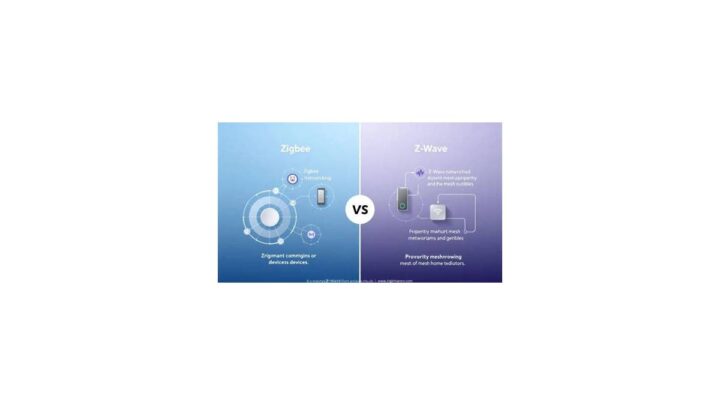
Philips Hue is made by Signify, and the system runs on Zigbee, a low-power mesh protocol that lets bulbs talk to each other. That's why the ecosystem stays reliable where a crowded Wi-Fi network struggles. Here's how to pick the right Hue gear without wasting money on the wrong bridge, the wrong bulb tier, or a lightstrip you can't size correctly.
best philips hue
The best Philips Hue picks depend on your setup. The White and Color Ambiance A19 starter kit is best for most homes. The Gradient Lightstrip is best for TVs.
Hue Play bars suit desks and monitors. Outdoor Lily spots handle gardens. Buy the Bridge v2 for full features.
What Makes Hue Different From Every Other Smart Bulb Brand
Most smart bulbs are Wi-Fi devices. They connect directly to your router, and every single bulb eats a slice of your network's bandwidth. That's fine for one or two bulbs.
It falls apart at ten or fifteen.
Hue does something different. The bulbs speak Zigbee, and the Hue Bridge acts as a translator between that Zigbee mesh and your home network. Per the Connectivity Standards Alliance, Zigbee is a mesh protocol, so every powered Zigbee device helps relay signals to the others.
A bulb in the hallway can extend coverage to a bulb in the back room.
That mesh is why Hue setups tend to stay responsive where mixed-brand Wi-Fi setups start lagging. It's also why one bulb being switched off at the wall can occasionally break the mesh if it was the only router between two others. More on that in a moment.
Zigbee Mesh vs Wi-Fi: The Practical Difference
Wi-Fi bulbs join your existing router. No hub, no setup beyond pairing. Great for one lamp.
Zigbee bulbs join a mesh through the Bridge. More setup, fewer dropouts, and no added load on your router.
If you live in an apartment with a single Wi-Fi access point and three bulbs, Wi-Fi is fine. If you're wiring a whole house, Zigbee wins. If you're renting and can't commit to a Bridge, Hue's Bluetooth mode gives you a middle path, though with hard limits.
What Signify Actually Owns and Makes
Signify licensed the Philips brand for lighting and runs the Hue platform. The bulbs themselves are engineered in the Netherlands and manufactured in multiple regions. That matters for two reasons.
First, firmware comes from Signify, not Philips consumer electronics. Second, warranty support goes through Signify's regional channels.
If you're already building out a broader connected apartment, it's worth seeing how Hue fits into a solid smart home starter plan before you commit to one ecosystem.
The Four Generations You'll See in Listings
When you shop Hue as of 2026, you'll run into four overlapping generations:
- Gen 1 (discontinued): Bridge v1 era. No Matter, no Thread, no Bluetooth.
- Gen 2: Slightly brighter, still hub-only for full features.
- Gen 3 (current standard): Bluetooth plus Zigbee, 800 to 1100 lumens on A19.
- Gen 4 (high-lumen): 1600-lumen fixtures and newer outdoor models.
Buy Gen 3 or 4 unless you're deliberately hunting clearance Gen 2 bulbs. Older bulbs pair fine, but you lose Matter and Adaptive Lighting advantages.
The One Decision That Changes Everything: Bridge vs. Bluetooth
The single biggest mistake people make with Hue is buying Bluetooth-only bulbs without realizing how much they lose. Hue's Bluetooth mode caps you at 10 bulbs, one room, and no remote access. No schedules that run when you're away.
No Adaptive Lighting. No Matter.
The Bridge opens all of that up. It also adds the Entertainment API for TV and music sync, the ability to run automations locally without internet, and cross-platform Matter pairing with Apple Home, Google Home, and Alexa.
If/Then: Which Setup Matches You
- If you have fewer than 10 bulbs and one room, then Bluetooth-only is genuinely fine. Skip the Bridge.
- If you want a whole-home system, then buy the Bridge. It's around $60 on its own or bundled in a starter kit.
- If you're on HomeKit or Matter, then the Bridge v2 is mandatory. Bluetooth bulbs don't expose Matter.
- If you're on Home Assistant or Hubitat, then get the Bridge. Direct Zigbee pairing works but loses Entertainment features.
- If you're renting and may move soon, then still get the Bridge. It travels with you.
What the Bridge v2 Adds Over Bluetooth
| Feature | Bluetooth-only | With Hue Bridge v2 |
|---|---|---|
| Max bulbs | 10 | ~50 to 60 |
| Rooms | 1 | Unlimited |
| Remote access | No | Yes |
| Schedules when away | No | Yes |
| Adaptive Lighting | No | Yes |
| Matter / Thread | No | Yes |
| Entertainment sync | No | Yes |
| Music sync | Limited | Full |
Bridge v1 vs Bridge v2
Bridge v1 is the older round unit. It doesn't support Matter, Thread, or the newer Entertainment features. If you're buying used Hue gear, check for the square-ish v2.
It usually says "Hue Bridge" with a USB-C or micro-USB power input depending on revision.
Signify has signaled v1 end-of-life. Don't build a new setup around it.
Do You Actually Need the Bridge in 2026?
For a single lamp or a two-bulb apartment corner, no. For anything you'd call a system, yes. The Bridge is the cheapest part of the whole ecosystem relative to what it unlocks, and there's no good reason to skip it if you're past the 5-bulb mark.
Hue Bulbs, Ranked by What They're Actually Good At
Hue sells bulbs in three tiers, and the tier names are more confusing than they need to be. The short version: White is warm-only, White Ambiance tunes temperature, and White and Color Ambiance does full RGB plus tunable white. Prices jump steeply from tier to tier.
Here's the honest breakdown.
Hue White: The Budget Pick Nobody Talks About
Hue White is fixed at roughly 2700K warm white. No color temperature changes, no RGB. Just dimmable warm light.
That sounds limiting, but for bedside lamps, hallway lights, or anywhere you genuinely only want warm glow, it's the smart buy. Aggregate reviews repeatedly note that people who bought White Ambiance "just in case" rarely use the tunability.
- Best for: bedside, hallway, guest room, exterior porch
- Typical price: ~$15 to $20 per bulb
- Lumen output: 800 lm on standard A19
Hue White Ambiance: The Sweet Spot for Most Rooms
White Ambiance runs 2200K to 6500K. Warm for evenings, cool for focus, and everything between.
If you work from home or read at night with a cooler task light, this is the tier that pays for itself. It's not that much more than White, and you get Adaptive Lighting support, Hue's circadian-style daily color shift.
- Best for: home office, kitchen, living room, reading nook
- Typical price: ~$25 to $30 per bulb
- Color temp: 2200K to 6500K
Hue White and Color Ambiance: The Full Experience
This is the tier everyone pictures when they think of Hue. Sixteen million colors, tunable white, and full scene support.
The cost is real. Single A19 bulbs run $40 to $50, and high-lumen variants go higher. But this is also the tier where Hue earns its reputation.
The color accuracy is noticeably better than budget RGB bulbs, and the pinks and purples hold saturation instead of washing out.
- Best for: entertainment areas, feature walls, kids' rooms, party lighting
- Typical price: ~$40 to $50 per bulb
- Brightness: 800 lm (standard) or 1100 lm (high-lumen)
Matching Bulb Type to Fixture
Hue bulbs aren't interchangeable across fixtures. Check your base first.
| Base | Common Fixtures | Hue Options |
|---|---|---|
| E26 / E27 | Standard lamps, ceiling | A19, filament |
| E12 / E14 | Chandeliers, sconces | Candle bulbs |
| GU10 | Track lighting, recessed | GU10 spots |
| B22 | UK bayonet sockets | Bayonet bulbs |
One trap: don't put any Hue bulb in a fully enclosed fixture unless the fixture or bulb is rated for it. Heat buildup shortens lifespan. In the worst cases, it causes premature failure.
Filament Bulbs: The Design Play
Hue Filament bulbs in ST19, A19, and G25 shapes give you smart control in a vintage-look glass envelope. They only come in White Ambiance, no full color, but they're the right answer for exposed-bulb fixtures where a plastic dome would look wrong.
If you're styling a coffee bar or open shelving area, these sit next to good-looking countertop gear without screaming "smart bulb." Pair them with the lighting setup in your kitchen accessories planning and they blend right in.
Hue Lightstrips and Play Bars: The TV and Gaming Tier
This is where Hue pulls away from every competitor. The Gradient Lightstrip and Hue Play bars are the two products most people are actually researching when they search for the best Hue setup for a TV or gaming rig.
Lightstrip Plus vs Gradient Lightstrip
Two different products. Easy to confuse.
Lightstrip Plus is the general-purpose option. It's 2 meters base, cuttable at marked points, extendable up to 10 meters with extensions. Solid single color, changes all together.
Great for under-cabinet, behind a desk, or along a shelf.
Gradient Lightstrip is TV-specific. It's one continuous strip where multiple color zones can display different colors at once. That's the whole point.
The left side of the strip can be red while the right side is blue, matching what's on screen.
The Gradient only comes in 55, 65, and 75-inch TV sizes. No cutting, no extending.
Hue Play Bars and the Sync Experience
Hue Play bars are the older approach. You mount two or three bars behind the TV, and the Sync Box or desktop app drives them.
The tradeoff is coverage. Play bars give you distinct pools of light. A Gradient Lightstrip gives you a continuous wash along all four sides.
If you've never seen both in person, the Gradient wins every time for pure immersion. The Play bars still make sense for desks, monitors, and smaller screens.
What Actually Drives the Color Sync
Two separate systems do sync, and they're often mixed up:
- Hue Sync Box: A physical HDMI switcher that sits between your source devices and your TV. It reads the video signal and sends color data to the lights.
- Hue Sync desktop app: Software for PC and Mac that reads your screen and drives the lights. No extra hardware required.
The Sync Box is for consoles and streaming boxes. The desktop app is for your computer. You can use both.
Sizing and Mounting the Gradient
Gradient Lightstrips clamp to the back of the TV with included brackets. You don't need adhesive unless the brackets won't fit your TV's curve or thickness.
Measure your TV diagonally before ordering. A "55-inch" strip assumes a 55-inch class TV. If you own a 58-inch, you're now choosing between a 55 and a 65, and the 65 will overhang.
There's no custom option.
Where Play Bars Still Win
- Desktop monitors: bars tuck behind a monitor stand better than a strip
- Multi-surface setups: bars can light a shelf and a screen
- Smaller bedrooms: two bars are enough ambience without a full strip
If you're building a gaming corner, the full ecosystem overlaps with our broader take on the gadgets that hold a setup together.
Hue Lamps and Fixtures: When the Bulb Isn't the Point
Sometimes you don't want a bulb. You want a lamp that ships as a Hue product, with the LED built in and no socket involved.
Hue's fixture line is smaller than its bulb line, but the pieces that exist are well-targeted.
Hue Go: The Portable One
Hue Go is a rechargeable, bowl-shaped portable lamp. Around 3 hours of battery on a charge. It's the only Hue product you can genuinely carry to the garden without a cable.
It has a built-in battery, so it works during a power cut. That's a genuine emergency-light use case a lot of people overlook.
- Best for: patio tables, camping adjacent, bedside
- Battery: ~3 hours
- Price: ~$70 to $80
Hue Signe and Bloom: The Statement Pieces
Hue Signe is a tall gradient floor or table lamp. The light shifts along the vertical column, which looks like a candle or a slowly shifting aurora when you're running a scene.
Hue Bloom is a smaller uplight that throws color onto a wall. Good behind a plant or in a corner.
Both are accent lighting, not task lighting. Buy them for looks.
Ceiling Fixtures: Enrave, Infuse, Being, Centris
Hue's ceiling line leans modern-minimal. Enrave, Infuse, and Being are flush or semi-flush fixtures with integrated Hue LEDs. Centris is a spot-style ceiling light.
The catch: when the LED eventually fails, you're replacing the whole fixture. Bulbs are replaceable. Fixtures aren't.
That's the trade for the cleaner look.
When a Bulb in a Third-Party Lamp Beats a Hue Fixture
For 80% of use cases, buying a Hue bulb and putting it in a lamp you already like is cheaper and just as good. Hue fixtures make sense when:
- You want a specific shape that no bulb gives you
- You want gradient effects in a floor lamp (Signe)
- You're matching a modern interior and a regular lamp would look wrong
If you're setting up a garden or patio and want fixtures that live outdoors, Hue's outdoor line is a better fit than any indoor bulb in a housing. Pair the outdoor planning with what we've covered for camping and outdoor gear if you're the type who lights the whole yard for cookouts.
The Accessories That Quietly Make Hue Worth It
Bulbs get the attention. The accessories are what turn a pile of smart bulbs into a system you don't have to think about.
Hue's accessory lineup is small compared to its bulb catalog, and every piece in it exists to fix one specific annoyance. Walk into a dark hallway with your hands full? That's a motion sensor.
Forget to turn off the kitchen lights from the sofa? That's a dimmer switch. The accessories do the boring work so the bulbs can do the pretty work.
Hue Dimmer Switch: The One Accessory Most People Skip First
The Hue Dimmer Switch is a battery-powered remote you stick to a wall or peel off and carry. It controls whatever you point it at: a bulb, a room, a zone, or a scene.
Why does this matter? Guests. Your family.
Anyone who doesn't want to open an app to turn off a lamp.
Aggregate user reviews consistently single out the dimmer switch as the accessory that reduced friction most in real homes. It's around $25 and it's the cheapest fix for the "my partner hates the app" problem.
The catch is that it's battery-powered and not wired into your home's switch circuit. If you remove the existing wall switch, you lose the ability to cut power entirely. Some people install the dimmer switch over the old plate with a magnetic cover.
Others just leave both.
Hue Motion Sensor: Automate Without the App
The Hue Motion Sensor detects movement and temperature. It pairs with the Bridge and fires scenes when someone walks into a room.
Placement sets in the Hue app are tuneable. You can set sensitivity, daylight thresholds, and how long the light stays on after motion stops. The outdoor variant is IP-rated and runs on batteries that last around two years in moderate climates.
The pain point: motion sensors don't play nicely with lights that also have manual schedules. Set both and you'll get conflicts. Pick one trigger per room.
Hue Tap Dial Switch: The Best Option for Scene Hopping
The Tap Dial is the premium remote. It has four programmable buttons and a rotating dial for dimming. You can assign each button to a different scene or room.
If you regularly switch between "movie," "reading," and "dinner," the Tap Dial is worth the extra cost over the basic Dimmer Switch. It's around $50.
Hue Smart Button: The Minimalist Choice
One button. Press, double-press, or long-press for different actions. It's the smallest Hue accessory and the cheapest, usually under $25.
Best for: a single bedside "everything off" button, or a nightstand toggle. Not a replacement for a full switch.
Hue Secure: The Newcomer in the Lineup
Hue Secure launched as Signify's push into home cameras and doorbells. The lineup includes indoor and outdoor cameras, a wired doorbell, and contact sensors.
Integration is strong with the Hue app and HomeKit Secure Video. Integration is weaker with third-party platforms compared to Ring or Nest. If you're already in the Hue ecosystem and want one app for lights and cameras, it's a reasonable move.
If you want the best camera on the market, look elsewhere.
Outdoor Hue: Lily, Calla, and Econic Without the Guesswork
Outdoor Hue is where most people overcomplicate things. You don't need a spot at every tree. You need three or four well-placed fixtures that do the work of ten.
The outdoor line splits into three families, and each one is best at a specific job.
Hue Lily: The Spotlight Family
Hue Lily is Hue's outdoor spotlight. It comes in a base kit with three spots and one power supply, and you extend with single-spot add-ons.
Each Lily throws a narrow, focused beam. They're best aimed at a tree, a wall, or a garden feature. They're not general area lighting.
Lily is IP-rated for wet outdoor use, so rain is fine. Submersion is not. Don't put them in a spot where water pools.
Hue Calla: The Path Light
Hue Calla is a bollard-style path light. Short, low to the ground, designed to define a walkway or edge a flower bed.
Calla is the fixture you install in a row along a driveway or garden path. Space them roughly 4 to 6 feet apart for even coverage. Closer looks busier, farther leaves dark bands.
The base kit comes with one Calla and a power supply. Add-ons are single lights that daisy-chain from the same supply.
Hue Econic: The Wall and Post Family
Hue Econic covers wall-mounted and post-mounted outdoor fixtures. Downlights, uplights, and path options all live here.
Econic is the right pick when you want permanent-looking outdoor lighting rather than seasonal spots. Install is more involved because it's a fixture, not a stake you push into the ground.
How Many Outdoor Lights Do You Actually Need
In our research, the common mistake is buying a 10-spot kit and using three. Outdoor lighting looks best when it's sparse and deliberate.
A simple 4-fixture plan for a small yard:
- Two Calla path lights along the walkway
- One Lily aimed at a tree or shrub
- One Econic wall light at the door
That's it. Add more only if gaps look wrong after dark.
Power, Cables, and Weather Reality
All outdoor Hue fixtures run on low-voltage cables that daisy-chain from a single power supply. The cables are usually buried just under mulch. They're not rated for deep burial or permanent submersion.
If you live in a region with hard freezes, the power supply needs to stay indoors or in a weatherproof enclosure. The fixtures handle cold. The power brick usually doesn't.
For anyone planning this alongside a bigger garden or patio project, our broader notes on outdoor garden setups cover the infrastructure side.
Hue Sync Box and Desktop Sync: Worth the Hype or Not?
Two different products do the same job in different rooms. The Sync Box is hardware for your TV. The desktop app is software for your computer.
Both read what's on screen and drive Hue lights to match the colors in real time. That's the entire value proposition. Whether it's worth it depends on how much you care about immersive lighting.
How the Sync Box Actually Works
The Sync Box sits between your source devices and your TV. You plug consoles, streaming sticks, and cable boxes into the Sync Box's HDMI inputs. The Sync Box's output goes to the TV's HDMI input.
It reads the video signal, extracts color data, and sends that to your Hue lights through the Bridge. No app needed for the sync itself after setup.
The original Sync Box supports HDMI 2.0. The 8K version supports HDMI 2.1 for 4K at 120Hz and 8K at 60Hz.
HDMI 2.0 vs 2.1: The Real Decision
If you own a PS5, Xbox Series X, or a 120Hz TV, the older Sync Box is a problem. It caps your console at 4K 60Hz, which defeats the point of the newer hardware.
The 8K version fixes that. It costs more, usually $350 or higher versus around $230 for the 4K unit. For gamers, the 8K version is the only sensible pick.
For streaming-only setups (Apple TV, Roku, Fire Stick), the older box is fine. Streaming content tops out at 60Hz anyway.
Does the Sync Box Add Latency
Yes, but small. Per aggregate user reports, the added latency is under 20ms in most setups. That's within the range where competitive gamers will notice, but casual players and movie watchers won't.
If you're playing ranked shooters, run the console directly to the TV and use the desktop app on a PC for syncing instead.
Desktop Sync: The Free Alternative
The Hue Sync desktop app runs on Windows and Mac. It reads your screen, not an HDMI signal, so it works without the Sync Box.
Best for: PC gaming, music visualization, working late with ambient bias lighting. It's also the cheapest way to test whether you even like the effect before spending $250 on hardware.
The desktop app can't handle DRM-protected content in some cases. Netflix in a browser won't sync properly. Streaming apps usually block screen reading.
Entertainment Zones: The Setup That Makes Sync Work
Sync depends on Entertainment zones. These are groups of up to 10 lights that receive real-time color commands. You set them up once in the Hue app.
Two rules matter:
- Only lights assigned to a zone sync. Everything else stays static.
- Zones can't overlap. A light belongs to one zone.
For a TV setup, zone the Gradient Lightstrip plus two Play bars, and you're done.
Who Should Skip Sync Entirely
If you watch TV with the room lights off, skip it. If you use subtitles and hate distraction, skip it. Sync is a "lights on while watching" feature.
It's great for movies and games, less great for anything you actually need to concentrate on.
Best Hue Setup for Each Type of Home
Hue advice falls apart when it's given without context. A renter in a studio apartment and a homeowner with four bedrooms need completely different recommendations, even if they're buying from the same product line.
Here's how the setups shake out.
Studio Apartment (Under 500 sq ft)
You have one room, one Wi-Fi network, and no ability to modify the lighting. Every light has to be plug-in or screw-in.
Recommended setup:
- Hue Bridge v2 (yes, even here)
- 3 Hue White and Color Ambiance A19 bulbs for lamps and ceiling
- 1 Hue Lightstrip Plus under the kitchen cabinets
- 1 Hue Dimmer Switch at the door
Total cost: roughly $260 to $300. It's a starter system that scales if you move.
One-Bedroom Apartment (Renter)
You've got a bedroom and a living space. The bedroom is where Adaptive Lighting earns its keep. The living room is where a Lightstrip or a couple of Play bars makes the biggest visual impact.
Recommended setup:
- Hue Bridge v2
- 4 White and Color Ambiance A19s (split between rooms)
- 1 Hue Play bar pair for the TV or desk
- 1 Hue Motion Sensor for the hallway
- 1 Hue Go for the balcony or as a nightstand
Total cost: roughly $400 to $500.
If you're building out the tech side of a rental, there's a wider list of smart home devices that suit apartment life worth reviewing before you commit to a single ecosystem.
Family Home (3+ Bedrooms)
Now you're building infrastructure, not decorating. Whole-home coverage, outdoor lighting, and enough accessories that the system runs itself.
Recommended setup:
- Hue Bridge v2 (consider a second Bridge if you go past 50 bulbs)
- White Ambiance bulbs for hallways, kitchen, and bathrooms
- White and Color Ambiance bulbs in living rooms, bedrooms, and entertainment areas
- Hue Gradient Lightstrip on the main TV
- Hue Sync Box 8K if there's a console attached
- 2 Hue Motion Sensors (hallway, entrance)
- 2 Hue Dimmer Switches (bedrooms)
- Lily or Calla outdoor kit for the front entry
Total cost: will land north of $1,000 and can easily hit $2,000 if you go heavy on fixtures.
Gaming Room
This is where the entertainment tier justifies its price. Sync plus Gradient plus Play bars is the combination that gets clipped to every review site.
Recommended setup:
- Hue Bridge v2
- Hue Sync Box 8K
- Hue Play Gradient Lightstrip sized to your TV
- 2 Hue Play bars for additional coverage or a second monitor
- Hue White and Color Ambiance bulbs in the overhead
Skip the outdoor and accessory lines. This room is about color sync, not automation.
Outdoor and Patio
Outdoor setups are simpler than people assume. Four fixtures well-placed beats ten fixtures scattered.
Recommended setup:
- Hue Lily base kit (3 spots)
- 2 Hue Calla add-on path lights
- 1 Hue Econic wall light at the door
If your outdoor space is a single balcony, swap the Calla for a Hue Go. It's rechargeable, and you can bring it inside when the weather turns.
Kitchen and Coffee Corner
Hue under-cabinet strips plus filament bulbs in open shelving is the combination that photographers keep choosing. The tunable white keeps morning light cool and evening light warm without any manual switching.
For those of us who care as much about the coffee as the lighting, our picks for countertop brewers pair nicely with a warm-toned Hue scene on a Sunday morning.
What Hue Actually Costs, and Where to Buy It Cheaper
Hue is not a cheap system. Anyone pretending otherwise is selling something. But the cost story is more nuanced than the sticker price on a single bulb.
The mistake most people make is buying piece by piece at full retail. The right approach is bundling, timing, and knowing which items are genuinely worth paying full price for.
The Real Price of Getting Started
Here's what a viable entry-level system actually costs as of 2026, based on current US retail listings:
| Item | Typical Price | Notes |
|---|---|---|
| Hue Bridge v2 (solo) | $60 | Often bundled free with starter kits |
| White & Color A19 starter kit (3 bulbs + Bridge) | $130 to $180 | Best entry point |
| White Ambiance A19 (2-pack) | $40 to $50 | Cheaper alternative for most rooms |
| Hue Play Gradient Lightstrip (55") | $190 to $220 | TV-specific sizing |
| Hue Sync Box 8K | $350+ | Only if you game at 4K 120Hz |
| Hue Go | $70 to $80 | Portable, rechargeable |
| Hue Motion Sensor | $40 | Indoor/outdoor variants |
| Hue Dimmer Switch | $25 | The best value accessory in the line |
If you're building a full-house system, expect $1,000 to $2,000 in total. Nobody likes hearing that number. But spread over 4 to 5 years of useful life, it comes out to a few dollars per week.
Where to Buy Without Getting Ripped Off
Hue pricing is oddly consistent across major retailers, which is unusual for consumer electronics. Amazon, Best Buy, Home Depot, and the manufacturer's own store usually sit within a few dollars of each other.
The real discounts show up in three places:
- Prime Day and Black Friday: starter kits regularly drop 30 to 40 percent.
- Costco and Sam's Club bundles: multi-bulb packs at lower per-unit cost than anywhere else.
- Clearance racks at Home Depot: older generation bulbs, still fully functional, often 50 percent off.
If you're patient, you can build a $600 system for $400 just by waiting for the right window.
Why the Price Per Bulb Matters Less Than You Think
A $45 color bulb sounds expensive next to a $12 generic Wi-Fi bulb. But Hue bulbs last roughly 25,000 hours. That's about 8 to 10 years at average daily use.
Meanwhile, aggregation of long-term user reviews shows that cheaper Wi-Fi bulbs often fail at the two to three year mark. Some stop responding. Some brick during a firmware update.
Some just die.
The math changes when you compare cost over a decade rather than a single purchase.
The Subscription Trap Nobody Warns You About
There isn't one. Hue is a one-time purchase system. No monthly fee, no cloud subscription required, no premium tier for basic features.
That's worth saying because some smart home brands have moved to subscription models for features that used to be free. Hue hasn't. If that ever changes, it'll be a big deal.
Common Hue Mistakes That Ruin the Experience
Most Hue frustration traces back to five or six specific mistakes. Fix those and the system feels almost boring, which is the highest compliment a smart home setup can earn.
Switched-Off Bulbs Breaking the Mesh
Every powered Zigbee device acts as a signal relay. When someone flips a wall switch that cuts power to a Hue bulb, that bulb stops relaying. If it was the only router between two rooms, the lights in the far room may go unreachable.
The fix is either a smart wall switch or a Hue Dimmer Switch that leaves the physical circuit live. In our research, this single issue explains the majority of "my Hue lights randomly disconnect" complaints.
Bluetooth-First Setup Without the Bridge
Buying bulbs that say "Bluetooth" on the box, then expecting a full system, is the most common beginner disappointment. Those bulbs work fine. They just don't work well past 10 lights or across rooms.
If you've already bought Bluetooth bulbs and want to upgrade later, you can add a Bridge. The bulbs pair to it. Nothing is wasted.
Enclosed Fixtures Cooking the LEDs
Hue bulbs generate heat. In an airtight fixture, that heat has nowhere to go. Over months, it accelerates LED degradation and can shorten a bulb's life by years.
If your fixture is enclosed, look for Hue bulbs rated for enclosed use, or choose a lower-lumen variant that runs cooler.
Zones That Overlap and Confuse Sync
Entertainment zones can't overlap. A single bulb belongs to one zone. If you try to assign a light to two zones for flexibility, both will misbehave.
Setting zones deliberately up front saves hours of troubleshooting later.
Building a Scene Without a Trigger
A common frustration: people build complex scenes, then never activate them because there's no natural way to fire them. Scenes without automation are decoration.
Every scene needs at least one trigger. A schedule, a motion sensor, a button, or a voice command. If it has none, it will sit unused.
Outdoor Fixtures in the Wrong Climate
Hue outdoor fixtures are weatherproof. The power supplies usually are not. In cold regions, an outdoor-rated enclosure for the power brick is not optional.
The same applies to regions with intense summer heat. Mount the power supply in shade, not direct sun, and it'll last longer.
Forgetting Who Else Lives There
Hue systems often fail not because of technology but because one person set them up and nobody else understands them. Guests can't dim the lights. A partner gets frustrated by the app.
The fix is cheap: two Dimmer Switches and clear labels. That's it. Every smart home that survives long-term has a physical fallback.
How Hue Compares to Govee, Nanoleaf, LIFX, and IKEA
Hue is not the only good smart lighting brand. It's the most reliable one, and reliability costs money. Whether it's worth paying for depends on which problem you're actually solving.
Govee: The Value King for TV Backlighting
Govee does TV sync without needing a hub. The cameras and strips are cheap, the app is competent, and for pure TV ambience the experience is close to Hue's at one-third the price.
Where Govee slips is ecosystem depth. No ceiling fixtures. No reliable motion sensors.
No dependable scheduling across a whole home.
Best for: budget TV backlighting, single-room setups.
Worst for: whole-home systems, HomeKit households.
Nanoleaf: The Panel Aesthetic
Nanoleaf's identity is its shapes and panels. Hexagons, triangles, and lines designed as wall art that lights up. Thread-native and Matter-ready.
Nanoleaf panels aren't bulbs. They're fixtures. If you want a light sculpture as a feature wall, Nanoleaf is the answer.
If you want bulbs in lamps, Nanoleaf doesn't make them.
Best for: gaming rooms, feature walls, Instagram-friendly setups.
Worst for: general room lighting, rentals with strict rules.
LIFX: Bright, Wi-Fi-Native, Hub-Free
LIFX bulbs are brighter than Hue at similar price points and don't need a hub. Wi-Fi direct, no bridge, no Zigbee mesh.
The tradeoff is reliability. Aggregated user reports consistently show LIFX bulbs dropping off Wi-Fi more often than Zigbee bulbs. Mesh protocols are simply better suited to lighting than Wi-Fi for large installations.
Best for: one or two bright bulbs, no-hub households.
Worst for: 20-bulb systems, remote-access needs.
IKEA TRÅDFRI and Dirigera: The Budget Zigbee Play
IKEA's TRÅDFRI (and the newer Dirigera hub) run on Zigbee, same as Hue. In fact, TRÅDFRI bulbs pair directly with the Hue Bridge, and vice versa.
The catch is features. No Entertainment sync. No Adaptive Lighting through Hue.
No gradient strips. Colors are noticeably flatter.
Best for: filling a room with cheap dimmable Zigbee bulbs on a Hue Bridge.
Worst for: entertainment, color accuracy, premium finishes.
Side-by-Side Comparison
| Brand | Protocol | Hub Needed | Full-Color | TV Sync | Ecosystem Depth |
|---|---|---|---|---|---|
| Philips Hue | Zigbee + BT | Yes (optional) | Yes | Yes (Sync Box) | Deep |
| Govee | Wi-Fi + BT | No | Yes | Yes (camera) | Medium |
| Nanoleaf | Thread + BT | No | Yes | Limited | Narrow |
| LIFX | Wi-Fi | No | Yes | Limited | Medium |
| IKEA Dirigera | Zigbee | Yes | Yes | No | Medium |
For anything beyond a handful of bulbs, the two Zigbee systems (Hue and IKEA) are the only ones that reliably handle scale.
Hue FAQs: Bridge, Matter, HomeKit, and the Questions Everyone Asks
Do I need the Hue Bridge to use Philips Hue?
No, but you'll want it. Bluetooth-only mode works for up to 10 bulbs in one room. The Bridge unlocks remote access, Matter, Adaptive Lighting, and Entertainment sync.
If you're past five bulbs, get the Bridge.
Is Philips Hue worth the price?
Hue is worth it if you want long-term reliability, whole-home coverage, and deep smart home integration. It's not worth it if you only need one lamp to change colors. Cheaper brands handle the single-bulb case just fine.
Does Hue work with Apple HomeKit and Matter?
Yes. The Bridge v2 supports Matter, and through it you can add Hue lights to Apple Home, Google Home, and Alexa. Individual bulbs don't need to be Matter-certified, since the Bridge bridges them.
Bridge v1 does not support Matter.
What's the difference between Hue White, White Ambiance, and White and Color Ambiance?
White is fixed warm-white only. White Ambiance adds tunable color temperature from 2200K to 6500K. White and Color Ambiance adds 16 million colors plus tunable white.
Price climbs from roughly $15 to $50 per bulb.
Can Hue bulbs work without internet?
Yes, if you have the Bridge. Schedules, motion triggers, and local scenes run on your home network. Remote access and voice assistants need the internet.
Bluetooth-only bulbs also need your phone nearby.
How long do Hue bulbs last?
Philips Hue bulbs are rated for roughly 25,000 hours of use. That's about 8 to 10 years at typical daily use. The LEDs are rated to hold most of their brightness across that lifespan.
Fixtures last the same time, but you can't replace the LED inside them.
Can Hue lights be used outdoors?
Only outdoor-rated models. Hue Lily, Calla, and Econic are IP-rated for wet conditions. Indoor bulbs inside a weatherproof housing can work in a covered porch, but not in direct rain.
The power supplies for outdoor fixtures still need protection from hard freezes and standing water.
What happens if the Hue Bridge loses power?
The lights stay at their last state. Automations pause until the Bridge comes back online. If your Bridge is on battery backup, local control keeps working through a power cut.
Without backup, the system is dormant until power returns.
Can I mix Hue bulbs with other Zigbee brands?
Yes, with limits. IKEA TRÅDFRI and other Zigbee Light Link certified bulbs can pair directly with the Hue Bridge. You'll lose Entertainment sync and Adaptive Lighting on those third-party bulbs.
They'll still dim and change color.
Does Hue work with Alexa, Google Assistant, and Siri?
All three. Alexa and Google work through the Hue skill and the Bridge. Siri works through HomeKit, either via the Bridge's HomeKit integration or through Matter.
You can control the same lights from multiple assistants without conflict.
Is the Hue Sync Box required for TV light sync?
For consoles and streaming boxes, yes. For a PC or Mac, no. The Hue Sync desktop app reads your screen without any extra hardware.
If you game on a console and want the lights to match, the Sync Box is the only option.
Do Hue bulbs support Adaptive Lighting?
Yes, on White Ambiance and White and Color Ambiance bulbs, as long as they're paired to a Bridge. Adaptive Lighting shifts the color temperature throughout the day automatically. Fixed-white Hue White bulbs don't support it.
What's the maximum number of Hue lights per Bridge?
Signify recommends around 50 lights per Bridge. In practice, setups of 60 or more usually work, but performance can degrade. If you're running a large home, a second Bridge is the cleaner solution.
Zigbee mesh reliability is the real limit, not a hard number.
The Final Verdict: Which Hue Setup to Buy and Why
If you're just starting out and you want one clear answer, it's the White and Color Ambiance A19 starter kit with the Bridge v2. That's the single best entry point. It gets you the full color experience, the Bridge, and three bulbs for around $130 to $180 depending on the sales window.
From there, scale based on what you're actually trying to do.
- For a single apartment: add a Lightstrip Plus and a Dimmer Switch. Under $300 total.
- For a TV or gaming room: add the Hue Play Gradient Lightstrip. Add the Sync Box 8K only if you're gaming on a 120Hz display.
- For a family home: mix White Ambiance in hallway fixtures with White and Color in living areas. Add motion sensors and switches to make the system run itself.
- For a garden or patio: three Lily spots and two Calla path lights cover most residential yards. The Econic wall light handles the entry.
- For an office or coffee corner: filament bulbs in exposed fixtures plus a tunable white under-cabinet strip. Warmer in the evening, cooler in the morning, on a schedule.
The brands that compete with Hue on price rarely compete with it on longevity. Govee and Nanoleaf are better choices for specific niches like TV ambience and wall art. LIFX wins on brightness.
IKEA wins on cost per bulb. Nobody else currently combines the reliability, ecosystem depth, and smart home integrations that Hue does.
Buy the Bridge. Buy Gen 3 or Gen 4 bulbs. Stick to the tiers that match the room.
Skip anything you can't see yourself triggering at least once a day.
That's the shortest path to a Hue setup that actually earns its cost, and the one most people would land on themselves if they had a few weeks and a return policy to experiment with.

Similar Posts