
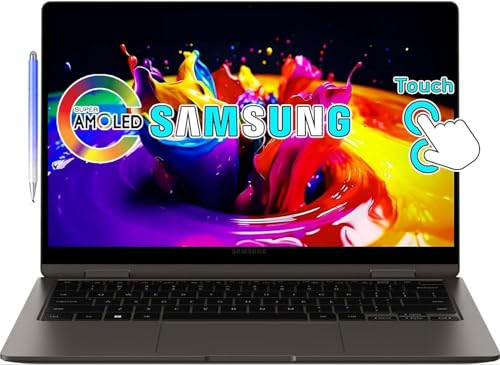
Your Productivity Powerhouse: A Detailed Review of the SAMSUNG Galaxy Book3 360 2-in-1
In today’s fast-paced world, finding a laptop that truly adapts to your needs is more important than ever. Whether you’re a student, a creative professional, or someone who needs flexibility in their daily grind, a convertible laptop can be a game-changer. Enter the SAMSUNG Galaxy Book3 360 2-in-1, a device that promises to seamlessly blend the power of a laptop with the versatility of a tablet. But does it truly deliver on that promise? Let’s dive deep into what makes this device tick, its strengths, its quirks, and who it’s truly designed for.
First Impressions & Design: Elegance Meets Adaptability
From the moment you unbox the Galaxy Book3 360, you’re greeted with a sense of premium craftsmanship. Samsung has opted for a sleek, minimalist design, featuring a slim profile and a lightweight build that makes it incredibly portable. The aluminum chassis feels sturdy yet refined, exuding a high-end vibe that belies its flexible nature.
The real star of the show, however, is the 360-degree hinge. This innovative design allows you to effortlessly transition the device from a traditional laptop to a tablet, tent mode for presentations, or stand mode for media consumption. The hinge feels robust and holds its position firmly, inspiring confidence in its long-term durability. This flexibility is what truly defines the SAMSUNG Galaxy Book3 360 2-in-1 and makes it stand out.
The Visual Feast: Display & S Pen Experience
Prepare to be captivated by the display. The Galaxy Book3 360 boasts a stunning AMOLED touchscreen, delivering vibrant colors, deep blacks, and incredible contrast. Whether you’re watching movies, editing photos, or simply browsing the web, the visuals are incredibly crisp and immersive. The touch responsiveness is excellent, making navigation feel intuitive and fluid.
But it’s not just about what you see; it’s also about how you interact. Included with the device is the S Pen, Samsung’s renowned stylus. This isn’t just an accessory; it’s an extension of your creativity and productivity. With exceptional pressure sensitivity and low latency, taking notes, sketching ideas, signing documents, or navigating the interface feels remarkably natural. For anyone who loves to doodle, annotate, or simply enjoys the precision of a stylus, the S Pen on the SAMSUNG Galaxy Book3 360 2-in-1 is a huge selling point.
Performance: Ready for Your Everyday & Beyond
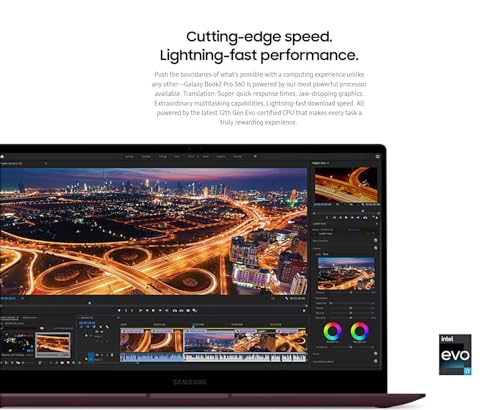
Under the hood, the Galaxy Book3 360 is powered by Intel’s latest processors, coupled with ample RAM and fast SSD storage. This configuration ensures a smooth and responsive experience for everyday tasks. Browsing multiple tabs, streaming 4K video, working on spreadsheets, and juggling various applications simultaneously are handled with ease.
While it’s not designed to be a heavy-duty gaming rig or a workstation for intense video editing, it comfortably manages lighter creative tasks, photo editing, and certainly excels in productivity scenarios. You’ll find it more than capable of handling your daily workflow without breaking a sweat.
Battery Life & Connectivity: Stay Powered, Stay Connected
Portability demands good battery life, and the Galaxy Book3 360 largely delivers. You can expect to get a full workday’s worth of use on a single charge, depending on your usage. This makes it a reliable companion for commuting, classes, or working from a coffee shop.
In terms of connectivity, Samsung hasn’t skimped. You’ll find a versatile array of ports, including Thunderbolt 4, USB-A, and HDMI, along with a microSD card slot and a headphone jack. This ensures you can connect all your essential peripherals and external displays without needing a dongle farm, a welcome convenience in an increasingly dongle-reliant world.
Software & Ecosystem: Samsung’s Seamless Integration
One of the less-talked-about but highly valuable aspects of Samsung devices is their ecosystem. If you already own a Samsung Galaxy phone or tablet, the SAMSUNG Galaxy Book3 360 2-in-1 truly shines. Features like Quick Share for effortless file transfer, Samsung Flow for seamless device continuity, and Second Screen for extending your display to a Galaxy Tab create a cohesive and productive environment. This integration adds significant value for existing Samsung users.
The Good, The Bad, and The Verdict
Pros:
- Stunning AMOLED Touchscreen: Vibrant colors, deep blacks, excellent for media and creative work.
- Versatile 360-Degree Hinge: Seamlessly transforms from laptop to tablet.
- Included S Pen: Excellent for note-taking, drawing, and precise navigation.
- Sleek & Portable Design: Lightweight, slim, and premium build quality.
- Solid Everyday Performance: Handles productivity tasks with ease.
- Good Battery Life: Reliable power for on-the-go use.
- Robust Port Selection: Less need for adapters.
- Strong Samsung Ecosystem Integration: A major plus for existing Samsung users.
Cons:
- While powerful for general use, it’s not built for demanding gaming or intensive creative workflows (e.g., professional video editing).
- The keyboard, while comfortable, might feel a little shallow for some who prefer deeper key travel.
User Impressions: What People Are Saying
Users consistently praise the Galaxy Book3 360 for its gorgeous display and the versatility of the 2-in-1 design. Many highlight the S Pen as a fantastic addition for productivity and creativity. The portability and premium feel are also frequently mentioned as strong positives. While some power users might wish for dedicated graphics for heavier tasks, the consensus is that it excels as a flexible, everyday workhorse and entertainment hub.
Who Is The SAMSUNG Galaxy Book3 360 2-in-1 Best For?
This convertible laptop is an ideal choice for:
- Students: Perfect for note-taking with the S Pen, presentations in tent mode, and carrying between classes.
- Professionals on the Go: Its portability, battery life, and versatile modes make it excellent for presentations, meetings, and remote work.
- Creative Enthusiasts: Whether you’re a digital artist, graphic designer, or just love to sketch, the AMOLED display and S Pen offer a fantastic canvas.
- Media Consumers: The vibrant display and flexible modes make it a joy for watching movies and shows.
- Existing Samsung Ecosystem Users: If you’re invested in Samsung’s mobile devices, this laptop enhances your entire digital experience.
Final Thoughts: A Versatile Powerhouse
The SAMSUNG Galaxy Book3 360 2-in-1 is more than just a laptop; it’s a versatile computing companion designed to adapt to your dynamic lifestyle. Its stunning display, intuitive S Pen, flexible design, and reliable performance make it a truly compelling option for anyone seeking a premium, adaptable device for work, creativity, and entertainment. If you’re looking for a laptop that truly does it all, from intense productivity to casual content consumption, and offers the added benefit of a superior pen experience, this Samsung gem deserves a serious look.
Ready to transform the way you work and play?
Click here to learn more and purchase the SAMSUNG Galaxy Book3 360 2-in-1 on Amazon!
FAQ
Q. What does the “360” in the SAMSUNG Galaxy Book3 360 name signify?
A. The “360” refers to its innovative hinge design, allowing the screen to rotate a full 360 degrees. This transforms the device from a traditional laptop into various modes, including tent mode for presentations, stand mode for media consumption, and a full tablet mode for note-taking or drawing.
Q. Does the SAMSUNG Galaxy Book3 360 come with an S Pen, and how does it enhance the user experience?
A. Yes, the SAMSUNG Galaxy Book3 360 typically comes with the S Pen included, which is seamlessly integrated. The S Pen allows for precise note-taking, sketching, drawing, and intuitive navigation, making it ideal for students, artists, and professionals who frequently interact with their device through touch and pen input.
Q. What kind of display does the Galaxy Book3 360 feature, and what are its benefits?
A. The SAMSUNG Galaxy Book3 360 boasts a stunning Super AMOLED touch display. This technology offers incredibly vibrant colors, deep blacks, high contrast ratios, and excellent viewing angles, providing a superior visual experience for entertainment, creative work, and everyday tasks.
Q. What are the general performance capabilities of the SAMSUNG Galaxy Book3 360, and for whom is it best suited?
A. The Galaxy Book3 360 is powered by modern Intel Core processors (e.g., i5 or i7) and includes ample RAM and fast SSD storage. This configuration ensures smooth multitasking, efficient handling of productivity applications, web browsing, and media consumption. It’s well-suited for students, professionals, and creatives who need a versatile, powerful, and portable device for both work and play.
Q. How is the battery life and portability of the SAMSUNG Galaxy Book3 360?
A. The SAMSUNG Galaxy Book3 360 is designed for on-the-go use, offering commendable battery life that typically lasts a full workday, depending on usage. Its slim and lightweight design makes it highly portable, easy to carry in a backpack or bag, and convenient for use in various environments from coffee shops to lecture halls.
Q. Can the SAMSUNG Galaxy Book3 360 be used effectively for professional graphic design or video editing?
A. While the Galaxy Book3 360 is excellent for lighter creative tasks like digital art, note-taking, and photo editing with its S Pen and AMOLED display, it may not be the primary choice for professional-grade, intensive graphic design or video editing. For those demanding tasks, models with dedicated graphics cards and higher-end processors would be more suitable, though it can certainly handle occasional or lighter versions of such software.
Related Posts:
– 10 Best Apps for Apple CarPlay: Your Ultimate Guide to a Smarter Drive
– 5 Best Wireless CarPlay Adapters for iPhone in

