What Is a Walking Pad? How It Works & Why It’s Trending 2026
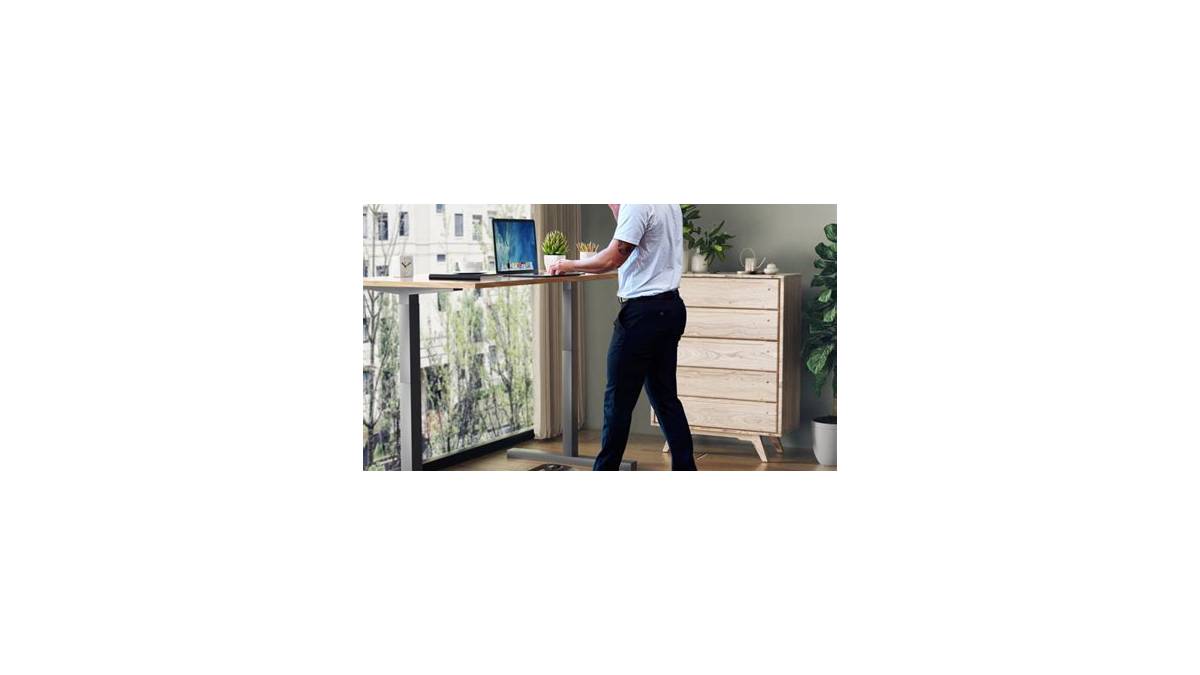
Walking pads are the flat, motorized treadmills built to slide under a standing desk so you can add steps during work calls, TV time, or a slow afternoon at home. But "what is a walking pad" isn't just a definition question. It's the start of a real buying and safety decision, because the category overlaps with treadmills, under-desk treadmills, and standing-desk setups in ways that trip people up.
Here's the short version. A walking pad is a low-profile, motorized belt that typically tops out around 4 mph (6.4 km/h), runs on a 0.5 to 2.5 HP motor, and folds flat for storage. Per UL 1647, the safety standard covering motor-operated exercise machines, these units are classified as motorized exercise equipment and must meet electrical and mechanical safety requirements.
So what actually separates a walking pad from a treadmill, and which one fits your space, body, and routine? Let's break it down properly.
what is a walking pad
A walking pad is a slim, motorized treadmill designed for walking only, usually under a standing desk. It runs at low speeds, generally 0.5 to 4 mph (0.8 to 6.4 km/h). Most models fold flat and weigh 40 to 75 lbs.
They lack the incline, handrails, and top speeds of a full treadmill.
Why People Are Confusing Walking Pads, Treadmills, and Under-Desk Treadmills
The confusion isn't your fault. The fitness industry has spent years rebranding the same basic machine under three or four different names. In our research tracking product listings and manufacturer spec sheets, we found the labels overlap constantly.
Here's the clean distinction, in plain terms.
A walking pad is a low-profile, motorized belt with no handrails and a typical top speed of 4 mph. It's built to sit flat on the floor, often under a standing desk.
A traditional treadmill is a full-size machine with handrails, incline capability, higher top speeds (8 to 12 mph), and a much larger footprint. It's built for running and structured workouts.
An under-desk treadmill is a marketing term that usually describes the same thing as a walking pad. Some brands use it to signal a slightly taller deck or a different motor spec. Functionally, the two categories are nearly identical in 2026.
So the real distinction buyers need isn't walking pad vs. under-desk treadmill. It's walking pad vs. treadmill. That's the choice that changes your room layout, your budget, and what you can actually do with the machine.
Quick identifier table: which one are you looking at?
| Feature | Walking Pad | Under-Desk Treadmill | Traditional Treadmill |
|---|---|---|---|
| Handrails | None or minimal | Usually none | Full handrails |
| Top speed | 0.5 to 4 mph | 0.5 to 5 mph | 8 to 12 mph |
| Incline | Rarely, sometimes manual | Occasionally 2 to 5% | Motorized, 0 to 15% |
| Footprint | Very small, folds flat | Small to medium | Large, needs dedicated space |
| Typical price | $150 to $1,200 | $200 to $1,400 | $600 to $3,000+ |
If the machine has handrails and a screen, it's a treadmill. If it folds in half and slides under a couch, it's a walking pad. That test works in about three seconds.
Why this matters before you buy
If you buy a walking pad expecting to jog, you'll be disappointed. If you buy a treadmill expecting to tuck it under your desk, you'll be furious.
The walking pad is a NEAT device, not a cardio machine. NEAT stands for non-exercise activity thermogenesis, the calories you burn from everyday movement like walking, fidgeting, and standing. A walking pad folds more movement into your day without a dedicated workout block.
If you're setting up a small apartment home office and want movement without taking over the living room, that's exactly the walking pad use case. Our guide on compact apartment tech setups covers how to layer these small-footprint devices without clutter.
How a Walking Pad Actually Works (Motor, Belt, Frame, and Controls)
Strip away the marketing and a walking pad is four systems working together: motor, belt, deck, and controls. Understanding each one tells you what you're actually paying for.
The motor
The motor turns the front roller, which moves the belt. Two types exist.
- Brushed DC motor: cheaper, louder, shorter lifespan. Common on budget units under $250.
- Brushless DC motor: quieter, more efficient, longer-lasting. Common on mid-range and premium units.
Motor power is measured in horsepower (HP), and this is where specs get slippery. Many brands advertise peak HP, which is a momentary spike the motor can hit for a few seconds. What matters is continuous HP, sometimes called running HP.
A unit claiming 2.5 peak HP might only deliver 1.0 continuous.
For walking-only use, a continuous rating of 0.5 to 1.5 HP is plenty. You're not asking the motor to overcome running impact or incline load.
The belt and deck
The belt is the moving surface you walk on. The deck is the rigid plate beneath it. Together they determine how the machine feels underfoot and how long it lasts.
Belt dimensions matter more than most buyers realize. A typical walking pad belt runs about 40 to 47 inches long and 14 to 17 inches wide. If you're over 6 feet tall, a short belt forces you to shorten your stride, which gets uncomfortable fast.
Deck cushioning varies. Multi-layer decks with EVA foam or rubber padding reduce joint impact. Too much cushioning on a walking pad can make the belt feel mushy and unstable at higher speeds.
The frame and folding mechanism
Walking pad frames are usually aluminum or steel. Aluminum keeps weight down, which matters if you're moving the unit daily. Steel is heavier and more rigid.
Folding mechanisms fall into three categories: flat-fold (folds in half lengthwise), upright-fold (tilts up against a wall), and no-fold (rigid, always flat). Flat-fold is the most common because it stores under a bed or couch.
The trade-off is real. Every hinge is a wear point. Aggregate reviews across major marketplaces consistently flag folding mechanisms as the first thing to develop play or squeaks after 12 to 18 months of regular use.
The controls
Controls range from a simple handheld remote to a built-in console with LED display. Most walking pads ship with a remote that handles start, stop, and speed.
Higher-end units add handlebar controls, app connectivity, and integration with Apple Health or Google Fit. That matters if you track steps and want the data to sync automatically.
What you don't want is a remote that desyncs constantly or a console that resets mid-walk. Verified buyer feedback on cheaper units reports this often. It's one of the clearest quality signals when you're comparing models.
How the walking pad fits your routine
If you have a standing desk and take two or three calls a day, a walking pad converts those calls into 4,000 to 6,000 steps without extra time. If you don't have a standing desk, you can still use a walking pad on open floor during TV or reading time.
The workflow is simple. Unfold, plug in, attach the safety clip, power on, start at 0.5 mph, and build up. We cover the full setup sequence later in this guide.
If you're thinking about pairing the pad with a smart home ecosystem for scheduling or reminders, our roundup of apartment-friendly smart devices is a good companion read.
Walking Pad Specs That Matter Most: Speed, Motor Power, Belt Size, and Weight Limits
Spec sheets are where walking pad buying gets messy. Brands list peak HP, ignore continuous HP, and bury weight limits on page 14. Here's what actually matters.
Speed range
Most walking pads top out between 3 and 4 mph (4.8 to 6.4 km/h). A brisk outdoor walk is about 3.5 mph, so 4 mph covers most people's walking pace comfortably.
Anything advertising 5 or 6 mph is usually pushing the motor hard. You'll get more noise, more heat, and shorter motor life. If you want to jog, buy a treadmill.
Motor power
The continuous HP rating is what you want. Here's a rough guide.
| Motor Rating (Continuous) | Best For | Typical Price Tier |
|---|---|---|
| 0.5 to 1.0 HP | Light walking, 30 to 60 min/day | Budget ($150 to $300) |
| 1.0 to 1.5 HP | Daily walking, up to 2 hrs/day | Mid ($300 to $600) |
| 1.5 to 2.5 HP | Heavy use, tall users, higher speeds | Premium ($600 to $1,200+) |
If the spec sheet only lists peak HP, divide by roughly 2 to 2.5 to estimate continuous output. A 2.5 peak HP motor is usually about 1.0 to 1.25 continuous.
Belt dimensions
Belt size determines comfort, especially for taller or wider-striding users. Here's the practical rule.
- Under 5'6" tall: belt length of 38 to 42 inches is fine.
- 5'6" to 6'0" tall: aim for 42 to 45 inches.
- Over 6'0" tall: 45 to 47 inches minimum, and check the width too.
Belt width matters if you tend to drift side to side. A 14-inch belt feels narrow. A 16 to 17-inch belt is comfortable for most adults.
Weight capacity
Walking pad weight limits typically run 220 to 300 lbs (100 to 136 kg). Always leave headroom. If you weigh 200 lbs and the limit is 220, you're stressing the motor and deck every session.
Manufacturer specs confirm that exceeding the weight limit is a common cause of premature motor failure. It's not a warranty issue you'll win.
Noise level
Walking pad noise typically lands at 40 to 60 dB at walking speed. For reference, normal conversation is about 60 dB. A unit rated at 45 dB will be barely audible on a call.
A unit rated at 58 dB will be noticeable.
Reviews on budget models frequently contradict the noise claim. If quiet operation matters for calls, prioritize brushless motors and check aggregate review data rather than trusting the spec.
What you can skip
Incline, heart rate sensors, and pre-programmed workout modes are mostly marketing on a walking pad. You won't use them. Focus your budget on motor quality, belt size, and build.
Walking Pad vs. Treadmill vs. Under-Desk Treadmill: A Side-by-Side Breakdown
This is the comparison that actually decides your purchase. Let's lay it out honestly.
Walking pad vs. traditional treadmill
| Factor | Walking Pad | Traditional Treadmill |
|---|---|---|
| Purpose | Walking during other tasks | Running, structured workouts |
| Top speed | 0.5 to 4 mph | 8 to 12 mph |
| Incline | Almost never | Motorized, up to 15% |
| Handrails | None | Full safety handrails |
| Footprint | Folds flat, stores anywhere | Needs 6+ sq ft permanently |
| Price | $150 to $1,200 | $600 to $3,000+ |
| Best for | Desk workers, apartment dwellers, step goals | Runners, serious cardio, home gyms |
A walking pad is best for someone whose main problem is sitting too much. A treadmill is best for someone whose main problem is needing a real cardio workout at home.
If you already own a bike, elliptical, or gym membership for cardio, adding a walking pad fills the movement gap. If you don't have any cardio equipment and want one machine to do everything, buy the treadmill.
Walking pad vs. under-desk treadmill
In 2026, these are essentially the same product. Some brands use under-desk treadmill for units with a slightly taller deck or a built-in console designed to sit at desk height.
The only practical difference worth checking is deck height and whether the unit includes a remote or handlebar controls. Beyond that, compare specs, not labels.
Walking pad vs. standing desk alone
A standing desk alone gives you postural benefits but barely moves your step count. A walking pad plus a standing desk converts seated hours into light activity.
If you're on the fence, start with the standing desk. Add the walking pad once you've confirmed you actually stand for more than an hour a day.
Walking pad vs. under-desk bike
Under-desk bikes are easier on balance and quieter. Walking pads deliver a more natural gait pattern and higher calorie burn at the same perceived effort.
If you have balance issues, knee problems, or a very small floor area, the bike is often the safer pick. If you want a natural walking motion during calls, the pad wins.
If/then decision guide
- If you work from home and stand 2+ hours a day: get a walking pad.
- If you want to jog or run: get a treadmill.
- If you live in a small apartment: walking pad, no question.
- If you have balance or joint concerns: talk to your doctor first. An under-desk bike or seated option may be safer.
- If you have a dedicated home gym: treadmill.
- If you're a runner who also sits a lot: keep the treadmill for workouts, add a walking pad for desk hours.
For anyone building a home workout corner from scratch, our gear picks for outdoor and home use include the kinds of durable accessories that pair well with an active-at-home routine.
Who a Walking Pad Is Really For (and Who Should Skip It)
Walking pads are fantastic for a specific kind of buyer. They're a poor fit for another kind. Let's sort that out before you spend.
Who a walking pad is right for
- Remote and hybrid workers who sit 6+ hours a day and want movement without a gym trip.
- Standing desk owners who already stand but want to add steps.
- Apartment dwellers with limited floor space and neighbors below.
- Step-goal chasers who struggle to hit 7,000 to 10,000 steps without dedicated walk time.
- Seniors looking for low-impact indoor movement (with medical clearance if they have balance or cardiac issues).
- Parents who can't leave the house for a walk but want to move during nap time or TV time.
- Gamers and streamers who want to walk during long sessions without leaving the setup.
The CDC's physical activity guidance recommends 150 minutes of moderate activity per week for adults, and walking counts. A walking pad is one of the easiest ways to chip into that total without a schedule change.
Who should skip a walking pad
- Runners who need speed and incline. Buy a treadmill.
- Anyone with balance or gait issues unless cleared by a clinician. There are no handrails to grab.
- People who want a high-calorie-burn workout. Walking pads are low intensity by design.
- Homes with toddlers or pets unless you can lock the machine away. The belt is a hazard when powered.
- Anyone expecting a silent machine. Even quiet units make audible belt and motor noise.
- People who won't actually stand at a desk. If you sit all day, the pad becomes a coat rack.
The honest middle ground
A walking pad works best as a supplement, not a replacement. Use it for 30 to 90 minutes a day during calls, reading, or TV. Keep your real workouts separate.
If you're also building out a home coffee or kitchen routine to go with your WFH setup, our reliable brewer picks show the same principle: buy for the actual use case, not the marketing.
A note on how people actually use them
In our review of aggregate buyer feedback across major retail platforms, three use patterns dominate.
- The call walker: 60 to 120 minutes a day, 2 to 2.5 mph, standing desk at 42 to 46 inches.
- The evening stepper: 30 to 45 minutes after dinner, 3 to 3.5 mph, no desk involved.
- The step top-upper: 15 to 20 minutes at the end of the day to close a step gap, 3.5 to 4 mph.
If none of those sound like you, a walking pad probably won't stick.
Walking Pad Pros and Cons: The Honest Tradeoffs Before You Spend
No product is all upside. Here's what a walking pad gives you and what it takes away, based on manufacturer specs and aggregate user feedback.
The genuine advantages
- Movement without a schedule change. You walk during calls, TV, or reading. No separate gym trip required.
- Tiny footprint. Most units fold to under 6 inches thick and slide under a bed or couch.
- Lower price than a treadmill. Budget units start around $150. A decent treadmill starts around $600.
- Low joint impact. Walking on a cushioned belt is gentler than running outdoors or on pavement.
- Step-goal support. You can add 3,000 to 6,000 steps during a normal workday without extra time.
- Easy learning curve. There's no form to master. You get on and walk.
The real drawbacks
- No handrails. If you lose balance, there's nothing to grab. This is the biggest safety gap.
- Low speed ceiling. 4 mph is a walk. It's not a jog, and it's definitely not a run.
- No meaningful incline. A few models offer a manual 2 to 5% slope. Most are flat.
- Motor heat on long sessions. Budget motors aren't built for 3-hour days. They overheat and shut down.
- Folding hinges wear out. Aggregate reviews consistently flag hinge play and squeaks after 12 to 18 months of daily use.
- Noise claims are optimistic. A whisper-quiet pad is rarely whisper-quiet at 3 mph.
The honest verdict on tradeoffs
A walking pad trades workout intensity for convenience. That's the whole deal.
If you need a real cardio session, this isn't the tool. If you need to stop sitting for 8 hours straight, it's one of the best cheap upgrades you can make to a home office.
Cost of ownership you should factor in
The purchase price isn't the whole story. Budget for these extras.
| Item | Typical Cost | Frequency |
|---|---|---|
| Silicone lubricant | $10 to $20 | Every 30 to 50 hours of use |
| Replacement belt | $30 to $60 | Every 1 to 3 years |
| Replacement remote | $15 to $30 | If lost or desynced |
| Floor mat | $25 to $50 | One-time |
| Extended warranty | $30 to $100 | Optional, one-time |
Add roughly $30 to $80 a year in consumables if you walk daily. Still cheap compared to a gym membership.
What Walking Pads Cost in 2025: Budget, Mid-Range, and Premium Tiers
Walking pad pricing has three clear tiers in 2026. Each one buys you something specific. Here's what your money actually gets.
Budget tier: $150 to $300
These are the entry-level units. They work, but they're built to a price.
What you get:
- Brushed DC motor, 0.5 to 1.0 continuous HP
- Top speed of 3 to 4 mph
- Belt width of 14 to 15 inches
- Weight capacity of 220 to 260 lbs
- Basic remote, no app
- 1-year warranty, often motor only
What you give up:
- Quiet operation
- Long motor life under daily use
- Accurate speed control at low speeds
Best for: Light use, under 30 minutes a day. First-time buyers testing whether they'll actually use it.
Mid-range tier: $300 to $600
This is where quality jumps noticeably. The motor gets better, the belt gets wider, and the noise drops.
What you get:
- Brushless DC motor, 1.0 to 1.5 continuous HP
- Top speed of 4 mph, held steady
- Belt width of 15 to 16 inches
- Weight capacity of 260 to 300 lbs
- Better remote, sometimes app support
- 2 to 3 year warranty
What you give up:
- Premium build materials
- Advanced tracking features
Best for: Daily use, 60 to 120 minutes. Remote workers who'll actually commit.
Premium tier: $600 to $1,200+
These are the top of the walking pad category. They compete with entry-level treadmills on price, so the value calculus changes.
What you get:
- Brushless motor, 1.5 to 2.5 continuous HP
- Top speed of 4 to 5 mph
- Belt width of 16 to 17 inches
- Weight capacity of 300 lbs and up
- App integration, Apple Health, Google Fit
- 3-year warranty, sometimes extended motor coverage
- Better frame rigidity and folding hardware
What you give up:
- Still no handrails
- Still no real incline
- Portability, since premium units are heavier
Best for: Heavy daily use, tall users, anyone who wants the unit to last 5+ years.
Pricing reality check
A $900 walking pad and a $900 treadmill are not the same value. The treadmill gives you more machine for the money. The walking pad gives you a form factor no treadmill can match.
You're paying a premium for the slim profile and folding design. That's the tradeoff. If space isn't a constraint, put the money into a treadmill instead.
Where to find real savings
- Seasonal sales. Black Friday, Prime Day, and January fitness sales regularly cut 20 to 35% off.
- Open-box units. Often 15 to 25% cheaper with full warranty.
- Refurbished direct from manufacturer. Better than third-party refurb because warranty terms are clearer.
- Secondhand marketplaces. Risky on motor wear, but fine for a barely-used unit.
If you're comparing this purchase to other home-office gear, our small-space device picks follow the same logic: buy for the space you have, not the space you wish you had.
Safety on a Walking Pad: Kill Switches, Weight Limits, and Home Hazards
This is the section most walking pad articles skip. Don't skip it. The machine has a moving belt and no handrails, and that's a real hazard.
The safety key is not optional
Every motorized walking pad should ship with a safety key, also called a kill switch or emergency stop clip. One end plugs into the console. The other clips to your clothing.
If you fall or step off, the clip pulls free and the belt stops immediately. This is the single most important safety feature on the machine.
Per UL 1647, the safety standard for motor-operated exercise machines, an emergency stop mechanism is a core requirement for this class of equipment. The US Consumer Product Safety Commission has documented treadmill-related injuries extensively, and most involve loss of balance, distraction, or children and pets near a running belt.
Use the key every single time. Even for a 10-minute walk. Even at 0.5 mph.
Checking the safety key on a new unit
Before your first walk, do this.
- Plug the key into the console and clip the other end to your waistband or shirt.
- Start the belt at the lowest speed.
- Gently tug the clip to simulate a fall.
- Confirm the belt stops within 1 to 2 seconds.
If it doesn't stop quickly, return the unit. That's a defect, not a preference.
Weight limits and motor stress
Manufacturer specs are clear on this. Exceeding the weight limit voids the warranty and stresses the motor.
A unit rated for 220 lbs (100 kg) used by a 210 lb walker will run hot and fail early. Buy at least 30 to 50 lbs of headroom above your body weight.
For heavier users, the premium tier is the honest answer. A 300 lb capacity unit costs more because it uses a stronger motor and a stiffer deck.
Home hazards you need to plan around
- Children. The belt is a moving surface. Small children and toddlers should never be near a powered walking pad.
- Pets. Cats and small dogs are drawn to the belt. Keep the unit folded and unplugged when not in use.
- Cords. Route the power cable along a wall, not across a walking path.
- Footwear. Wear proper walking shoes. Barefoot or socked use increases slip risk, and some manufacturers void the warranty for barefoot walking.
- Wet floors. Never use a walking pad on a wet surface. The electrical risk is real.
- Loose clothing. Baggy pants or long robes can catch in the belt. Wear fitted clothing.
If you have a medical condition
Talk to your doctor before using a walking pad if you have any of these.
- Balance or vestibular disorders
- Recent surgery
- Cardiac conditions
- Uncontrolled blood pressure
- Severe joint issues in the hips, knees, or ankles
- A history of falls
Walking is generally safe. Walking on a moving belt with no handrails is a different risk profile than walking on flat ground.
Electrical safety
Plug the walking pad into a grounded outlet. If your home has older wiring or you're using the unit near water sources, use a GFCI-protected outlet.
In the US, look for UL listing on the unit or the power adapter. In the EU and UK, look for CE or UKCA marking. These aren't guarantees of quality, but they confirm the unit passed basic electrical safety testing.
Never daisy-chain the walking pad through an extension cord or power strip during use. That's a fire risk on higher-draw units.
Emergency stop scenarios to plan for
If the belt speeds up unexpectedly, hit the stop button on the remote. If the remote fails, step off sideways and pull the safety key.
If the belt won't stop, unplug the unit at the wall. Don't try to hold the belt still with your feet.
If someone else falls on the belt, pull the key or unplug the machine before helping them. The belt stops when power is cut.
Setting Up and Using Your Walking Pad: A Practical Walkthrough
Setup takes 10 to 20 minutes on most units. The steps are basic, but a few of them matter more than the manual admits.
Step 1: Unbox and inspect
Walking pads ship heavy, usually 40 to 75 lbs (18 to 34 kg). Get help moving the box if you can.
Check for shipping damage before you do anything else. Look for dents in the frame, cracks in the console, and pinched or frayed power cables. Report damage to the seller within the return window.
Step 2: Position the pad
Place the walking pad where you'll actually use it. For under-desk use, that means checking the fit before you assemble anything.
Check these clearances:
- Belt must sit at 42 to 46 inches below the desktop for most adults
- At least 24 inches of clear space at the back of the pad
- Power outlet within cord reach without a stretch
- No trip hazards along the walking entry point
If your standing desk height doesn't match the pad's deck height plus your comfortable stride, you'll end up hunched. Test before you commit to the position.
Step 3: Attach the safety key
Plug the safety key into the console port. Clip the other end to your clothing only when you're about to walk. Don't leave it attached and dangling between sessions.
Step 4: Power on and test
Plug the unit into a grounded outlet. Turn it on. Check the display.
If there's a remote, pair it per the manual.
Run the belt at 0.5 mph (0.8 km/h) for 60 seconds with no one on it. Listen for grinding, thumping, or irregular belt tracking. A belt that drifts to one side during this test needs tension adjustment.
Step 5: Your first walk
Start at the lowest speed. Walk for 5 minutes. Stop.
Check for wobble, unusual heat at the motor housing, or warmth at the plug.
If anything feels off, stop. Don't push through a mechanical noise. That's how motors burn out.
Step 6: Build the habit
Don't start with 60-minute sessions. Start with 10 to 15 minutes a day for the first week. Add 5 minutes each week until you hit your target.
Most people settle at 30 to 90 minutes a day. The CDC's 150 minutes of moderate activity per week equates to roughly 20 to 30 minutes a day of walking.
How to use the pad while working
For calls: Keep speed at 1.5 to 2 mph. Faster than that and you'll sound breathless on the mic.
For typing: Stay at 1 to 1.5 mph. Any faster and your accuracy drops noticeably.
For passive tasks (reading, watching): 2.5 to 3.5 mph is comfortable.
For step-goal topping: 3.5 to 4 mph in short 10 to 20 minute bursts at the end of the day.
Using it without a standing desk
You don't need a standing desk. Use the walking pad on open floor during TV, podcast, or reading time.
Place it facing a screen or window so you're not staring at a wall. Standing in one spot on a moving belt gets dull fast if there's nothing to look at.
The first 30 days matter
Most walking pad returns happen in the first month. That tells us two things. People either don't build the habit, or the unit develops a fault quickly.
Give it a real 30-day trial. If you're not using it at least 4 days a week by week 4, you probably won't use it at all.
Walking Pad Maintenance: Belt Lubrication, Tension, and Long-Term Care
Maintenance is what separates a walking pad that lasts 5 years from one that dies at 18 months. The good news is that the routine is simple. The bad news is that most owners skip it.
Why lubrication matters more than anything else
The belt slides over the deck every time you walk. Without lubrication, that's rubber grinding against a rigid surface.
Friction does three things. It heats the motor, it wears the belt, and it slows the belt at low speeds. All three shorten the machine's life.
Per manufacturer documentation across major walking pad brands, the standard lubrication interval is every 30 to 50 hours of use. For a daily 60-minute walker, that's roughly once a month.
How to lubricate the belt properly
- Turn the unit off and unplug it. This step is non-negotiable.
- Lift the belt edge and slide the applicator nozzle under it. Aim for the center of the deck.
- Apply a thin line of silicone lubricant along the deck under the belt.
- Repeat on the other side.
- Plug in, power on, and walk at 2 mph for 2 to 3 minutes. This spreads the lubricant evenly.
- Wipe any excess from the belt edges.
Use silicone lubricant only. Petroleum-based oils degrade rubber belts. So do WD-40 and generic household oils. If the manufacturer sells their own lubricant, use that.
How often should you check belt tension?
Check belt tension every 2 to 4 weeks. The test is simple.
Lift the belt edge at the middle of the deck. It should lift about 2 to 3 inches (5 to 7 cm). Less than that means too tight.
More means too loose.
A belt that's too loose slips and stutters. A belt that's too tight strains the motor and rollers. Both are bad.
Tension adjustment uses the bolts at the rear of the deck, one on each side. Turn each bolt a quarter-turn, then retest. Never tighten one side more than the other, or the belt will drift.
Belt tracking: when the belt drifts
If the belt drifts to one side during use, tracking is off. This is common and fixable.
If the belt drifts right: tighten the right rear bolt a quarter-turn.
If the belt drifts left: tighten the left rear bolt a quarter-turn.
If the belt drifts both directions: the belt is too loose. Tighten both sides evenly.
Run the belt at 2 mph for 2 minutes after each adjustment. Small changes only. Overcorrecting makes the problem worse.
Cleaning routine
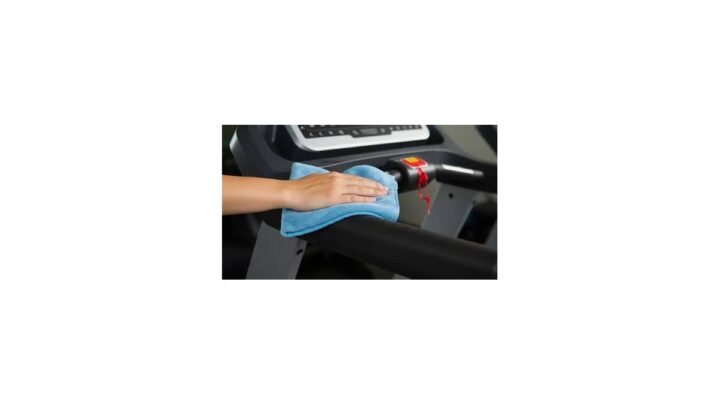
- Weekly: Wipe the belt with a damp cloth. Don't soak it.
- Monthly: Vacuum dust from the motor housing vents. Blocked vents cause overheating.
- Quarterly: Check all visible bolts and screws for tightness. Folding hinges loosen over time.
- Yearly: Inspect the power cord for cracks or fraying. Replace if damaged.
Maintenance schedule table
| Task | Frequency | Time Required |
|---|---|---|
| Belt wipe-down | Weekly | 2 minutes |
| Belt tension check | Every 2 to 4 weeks | 5 minutes |
| Belt lubrication | Every 30 to 50 hours of use | 10 minutes |
| Motor vent cleaning | Monthly | 5 minutes |
| Bolt and hinge check | Quarterly | 10 minutes |
| Power cord inspection | Yearly | 5 minutes |
| Belt replacement | Every 1 to 3 years | 30 to 60 minutes |
When to replace the belt
Replace the belt when you see any of these signs.
- Visible cracks, fraying, or shiny patches
- Belt slips even after tension adjustment and lubrication
- Persistent thumping or uneven surface
- Belt edges curling or separating
A replacement belt costs $30 to $60. Installation takes 30 to 60 minutes for most models. Manufacturer videos are the best guide.
What voids a walking pad warranty
Aggregate warranty terms across brands are fairly consistent. Watch out for these.
- Using non-approved lubricants
- Exceeding the weight limit
- Barefoot walking (on some models)
- Exceeding the maximum continuous run time
- Water damage or use in humid environments
- Unauthorized repairs or disassembly
Read the warranty card before your first walk. Not after something breaks.
Storing the unit long-term
If you're putting the pad away for weeks or months, do these first.
- Clean the belt and deck.
- Lubricate the belt.
- Fold it and store it flat, not leaning at an angle.
- Unplug the power cord and coil it loosely.
- Cover it if the storage area is dusty.
Don't store a walking pad in a cold garage or damp basement. Temperature swings and moisture degrade belts and electronics.
Realistic lifespan expectations
A budget walking pad used daily typically lasts 2 to 3 years. A mid-range unit lasts 3 to 5 years. A premium unit with proper maintenance can hit 5 to 7 years.
The motor is usually the first thing to go. Then the belt. Then the folding hinges.
If you keep the belt lubricated and the motor vents clean, you push all three out considerably.
If you're also layering home tech into the same space, our compact smart home ideas pair nicely with a low-profile walking setup.
Common Walking Pad Mistakes That Kill Motors and Ruin Belts
Most walking pad failures come down to a handful of predictable mistakes. Here are the ones we see flagged most often in aggregate buyer feedback.
Mistake 1: Ignoring the safety key
It takes 3 seconds to clip on. Most people skip it because "it's just a walk."
Then they trip on a cord, get distracted by a delivery, or lose balance. Without the key attached, the belt keeps running. With it, the belt stops instantly.
Fix: Clip the key on every session. No exceptions.
Mistake 2: Starting at high speed
Jumping from 0 to 3 mph puts sudden load on the motor and jerks the belt. It's hard on the machine and worse for your balance.
Fix: Start at 0.5 mph. Step on. Then ramp up gradually.
Mistake 3: Walking too close to the front
Staying near the front of the belt limits your stride and makes you shuffle. That shortens the belt life because the front rollers take more wear.
Fix: Position so the front of your stride lands comfortably in the middle of the belt.
Mistake 4: Skipping lubrication
This is the single biggest cause of premature motor failure. A dry belt forces the motor to work harder, which means more heat and shorter life.
Fix: Lubricate every 30 to 50 hours. Set a calendar reminder.
Mistake 5: Barefoot or socked walking
Skin and sock fibers leave residue on the belt. That residue attracts grit, which acts like sandpaper on the deck. Some manufacturers void the warranty for barefoot use.
Fix: Wear clean walking shoes.
Mistake 6: Exceeding the weight limit
It's not a suggestion. The motor, deck, and belt are all rated to a specific load. Going over that load by 10 to 20 lbs might feel fine short-term.
Long-term, it's motor death.
Fix: Buy a unit rated 30 to 50 lbs above your body weight.
Mistake 7: Using an extension cord
Most walking pads draw 300 to 800 watts. Extension cords add resistance and heat. On a higher-draw unit, that's a fire risk.
Fix: Plug directly into a grounded wall outlet.
Mistake 8: Ignoring early warning signs
A belt that squeaks, a motor that smells hot, a clicking noise from the hinge: these don't fix themselves. They get worse.
Fix: If something sounds or smells wrong, stop using the unit and diagnose it. Most issues are cheap to fix early and expensive to fix late.
Mistake 9: Long sessions on budget motors
A $200 walking pad isn't designed for 3-hour continuous sessions. Budget motors overheat and hit thermal cutoff.
Fix: Break sessions into 30 to 45-minute blocks. Let the unit cool between blocks. Check the manufacturer's max continuous run time.
Mistake 10: Storing folded and vertical
Most walking pads fold flat. Some people lean them upright against a wall for storage. That puts stress on hinges and can warp the deck over time.
Fix: Store the unit flat, ideally under a bed or couch, as the design intends.
Mistake 11: Never checking belt tracking
A belt that drifts worsens quickly. Left unchecked, it rubs the frame, frays the edges, and eventually tears.
Fix: Check tracking every 2 to 4 weeks. Adjust with quarter-turn bolt movement only.
Mistake 12: Skipping the floor mat
Bare floors amplify motor noise and let the unit slide. A mat absorbs vibration and adds grip.
Fix: A $25 to $50 treadmill mat is the cheapest upgrade you can make.
Quick diagnostic table
| Symptom | Likely Cause | First Fix |
|---|---|---|
| Belt slips or stutters | Belt too loose | Tighten rear bolts evenly |
| Motor gets hot fast | Dry belt or blocked vents | Lubricate, clean vents |
| Belt drifts one direction | Tracking off | Adjust the drifting side's bolt |
| Clicking or squeaking | Hinge wear or loose bolts | Tighten bolts, inspect hinges |
| Remote stops responding | Battery or pairing issue | Replace battery, re-pair |
| Belt stops mid-walk | Thermal cutoff or safety key | Let cool, check key clip |
| Speed feels inconsistent | Motor strain or worn belt | Check weight limit and belt wear |
Trusted Walking Pad Certifications and Buying Benchmarks (UL, CE, UKCA, CPSC)
Certifications won't tell you whether a walking pad is fun to use. They will tell you whether it meets basic safety standards. That matters more than most buyers realize.
UL listing in the United States
UL stands for Underwriters Laboratories. It's an independent safety certification organization.
UL 1647 is the specific standard covering motor-operated massage and exercise machines. A walking pad with a genuine UL mark has passed electrical and mechanical safety testing.
What to watch for: The UL mark should appear on the unit or its power adapter. Some brands print "UL listed components," which is not the same as a full-unit listing. Read the fine print.
Why it matters: Without UL listing, there's no independent verification of the wiring, motor insulation, or electrical safety. On a machine with a moving belt and a power cord under a desk, that's not a small omission.
CE marking in the EU
CE marking confirms the unit meets EU health, safety, and environmental protection requirements. It's mandatory for products sold in the EU.
Like UL, CE marking isn't a quality rating. It's a compliance baseline.
UKCA marking in the UK
UKCA replaced CE for most products sold in Great Britain after Brexit. It confirms compliance with UK-specific safety requirements.
Some products carry both CE and UKCA marks during the transition period. Both are acceptable.
CPSC data and injury context
The US Consumer Product Safety Commission tracks injuries related to exercise equipment, including treadmills. Their data has consistently shown that treadmill-related injuries are a significant category of home fitness injuries.
The CPSC has also issued recalls on specific walking pad and treadmill models over the years, typically for electrical faults, motor overheating, or safety key failures. Before buying, check the CPSC recall database for the specific model.
Other standards to know
- ASTM F2276 covers treadmill safety in the US and is sometimes referenced in walking pad documentation.
- ISO 20957 is an international standard for stationary training equipment.
- EU Machinery Directive governs powered equipment sold in the EU, which includes walking pads.
If a unit's documentation references any of these standards, that's a positive signal. It suggests the manufacturer bothered to test against recognized benchmarks.
FTC rules on advertising claims
The US Federal Trade Commission enforces rules against deceptive advertising for health and fitness products. Walking pads are frequently marketed with claims like "torch 500 calories in 30 minutes" or "lose weight without trying."
Watch for these claims. Some are exaggerated. Some are unsupported.
The FTC has repeatedly acted against fitness marketers making unsupported weight-loss claims.
Consumer protections to know
- US: FTC rules, state consumer protection laws, and manufacturer warranty terms.
- UK: The Consumer Rights Act 2015 gives you statutory rights on faulty goods, above and beyond any manufacturer warranty.
- EU: EU consumer protection rules give you a minimum 2-year legal guarantee on most goods.
These protections matter if a unit fails early. Know your rights before you need them.
Certification vs. reality
Certification is a baseline. It doesn't tell you how the unit feels at 3 mph or whether the remote desyncs every week.
For those signals, you need aggregate reviews and verified buyer feedback. Look for reviews that mention specific use patterns and timeframes. "Used daily for 8 months, still quiet" tells you more than a star rating.
If you're buying from an unfamiliar brand
Do these checks before you buy.
- Confirm UL, CE, or UKCA marking in the product listing or manual.
- Search the CPSC recall database for the brand and model.
- Look for the brand's physical address and customer support phone number.
- Check whether the warranty is through the brand or a third-party warranty company.
- Read the return policy, especially for damaged-on-arrival units.
No certification or recall history is a red flag. Skip the unit.
If you're thinking about stacking the walking pad with other home-office upgrades, our broad home and kitchen category covers the gear that fits a similar budget and footprint.
Walking Pad FAQs: Speed Limits, Weight Loss, Noise, and Durability
Here are the questions people actually ask before buying a walking pad, answered with the specifics that matter.
How fast can a walking pad go?
Most walking pads top out at 3 to 4 mph (4.8 to 6.4 km/h), with premium models sometimes reaching 5 mph. That's a brisk walk, not a jog. If you need to run, a traditional treadmill is the correct tool.
Do walking pads actually help with weight loss?
They help, but modestly. Walking at 2.5 mph burns roughly 100 to 150 calories per 30 minutes for an average adult. Consistent daily use adds up to meaningful weekly burn.
Walking pads work best as part of a broader routine that includes diet and some higher-intensity activity.
Are walking pads noisy?
Quieter than treadmills, but rarely silent. Budget units run 55 to 60 dB at walking speed. Mid-range and premium units with brushless motors run 40 to 50 dB.
That's roughly the difference between a normal conversation and a quiet room.
How long do walking pads last?
Budget units average 2 to 3 years with daily use. Mid-range units last 3 to 5 years. Premium units maintained properly can reach 5 to 7 years.
Belt and motor are the first components to fail.
Can you use a walking pad without a standing desk?
Yes. You can walk on open floor during TV, reading, or podcast time. A standing desk just makes it easier to stack walking with work, which is where most people get the habit to stick.
Do walking pads work for tall people?
They can, but belt length matters. If you're over 6 feet tall, look for a belt length of at least 45 inches. Anything shorter forces a shortened stride, which gets uncomfortable within 15 minutes.
What's the difference between a walking pad and a treadmill?
A walking pad is low-profile with no handrails and a 4 mph speed ceiling. A treadmill has handrails, incline, and top speeds of 8 to 12 mph. The walking pad is for movement during other tasks.
The treadmill is for structured cardio.
Can walking pads damage your floor?
Not usually, but they can leave marks on soft wood or vinyl over time. A treadmill mat under the unit prevents scuffs, absorbs vibration, and adds grip. It's the cheapest accessory you'll buy.
Final Verdict: How to Pick the Right Walking Pad for Your Space and Routine
By now you know the category well enough to make a call. Here's the decision process that works.
Start with the honest use case
Before specs, ask yourself one question. Will you actually walk during work or downtime 4 or more days a week?
If yes, a walking pad is one of the best cheap upgrades for a sedentary routine. If no, save the money. The coat-rack fate is real.
Match the tier to your use pattern
- Under 30 minutes a day, casual use: budget tier, $150 to $300.
- 60 to 120 minutes a day, most weekdays: mid-range tier, $300 to $600.
- Heavy daily use, tall user, or 5+ year horizon: premium tier, $600 to $1,200+.
Don't overbuy for a habit you haven't built yet. Don't underbuy if you know you'll use it hard.
Non-negotiable features
Whatever you buy, make sure it has these.
- A working safety key with a reliable kill switch
- A continuous HP rating of at least 1.0 for daily use
- A belt at least 42 inches long for anyone between 5'6" and 6'0"
- A weight capacity at least 30 lbs above your body weight
- UL, CE, or UKCA marking
- A warranty of at least 2 years on the motor
Skip any unit missing two or more of these.
The space check
Measure before you buy. You need roughly 24 inches of clear space behind the pad, enough room for the folded profile (often under 6 inches thick), and a nearby grounded outlet.
For a standing desk setup, verify the belt-to-desktop height works for your stride. Around 42 to 46 inches between belt and desktop suits most adults. Adjust as needed.
The habit check
Set a realistic target. Start with 15 minutes a day for the first week. Add 5 minutes per week until you hit your goal.
Most people land at 30 to 90 minutes daily. That's enough to add 3,000 to 6,000 steps without a schedule change, and it's well within the CDC's recommended activity range.
The mistakes to avoid
Don't buy barefoot-use models if you know you'll walk barefoot. Don't buy budget motors for 3-hour sessions. Don't skip the safety key.
Don't store folded units vertically. Don't ignore early motor noise.
Fix small problems early and the pad lasts years. Ignore them and you'll be replacing it within 18 months.
The bottom line
A walking pad isn't a treadmill replacement. It's a habit tool for people who sit too much and want movement without adding a gym trip to the day.
If that's you, a mid-range unit with a brushless motor, a proper safety key, and a belt that fits your stride is the sweet spot. Expect to spend $350 to $550.
If that's not you, and you want real cardio at home, put the money toward a treadmill instead. You'll be happier with the machine that actually matches what you want to do.
Who should buy one today
- Remote and hybrid workers sitting 6+ hours a day
- Standing desk owners who already stand 2+ hours daily
- Small-apartment dwellers who need foldable equipment
- Step-goal chasers who can't fit a walk into their day
- Anyone cleared by their doctor for low-impact indoor walking
Who should keep looking
- Runners needing speed and incline
- Anyone with untreated balance issues
- Households with toddlers or pets they can't isolate from the machine
- Buyers hoping for silent operation
- Anyone who won't actually stand at a desk
Buy for the reality you'll live in, not the one you're imagining. That's the difference between a walking pad that earns its floor space and one that ends up under the bed permanently.

Similar Posts